Problem
Real-estate agencies sit on old buyer databases that are never followed up, and new enquiries get the same generic reply whether the buyer is ready now or in a year — so hot buyers wait and cold ones get chased.
A GHL buyer and investor system for a fictional Sydney agency: a 3-step funnel on a custom domain captures the enquiry and books a consultation, new leads are qualified as Hot, Warm, or Cold by purchase timeline, an existing database is reactivated with reply-based routing, and hot leads or anyone asking for a person are handed to an agent with the automations stopped. Sellers get their own appraisal form, pipeline, and nurture, and open-home visitors check in by form and are fed straight into buyer qualification.
Problem
Real-estate agencies sit on old buyer databases that are never followed up, and new enquiries get the same generic reply whether the buyer is ready now or in a year — so hot buyers wait and cold ones get chased.
Solution
Twelve single-purpose GoHighLevel workflows, organised into numbered folders, connect a 3-step funnel and two new forms (Seller Appraisal and Open Home Check-in) to a Buyer/Investor pipeline and a separate Appraisal pipeline. New leads are classified by timeline, old contacts are reactivated with reply routing and DND guardrails, bookings get confirmations and reminders, and appointment outcomes and agent handoffs each have their own rules.
Result
A buyer can move from a funnel enquiry through qualification, agent handoff, and a booked consultation on one contact and one opportunity — verified end to end on the live domain. Of the 12 regression cases, 11 have now passed and none failed; only reactivation reply routing is still untested, because it needs real inbound texts. The seller appraisal, open-home, and stop-nurture workflows passed their own live tests, and the full build is saved as a snapshot that imported cleanly into a blank sub-account.
Start with the three system branches, then open the parts you want to inspect.
Demo video coming soon. The live funnel and the screenshots below show the full system.
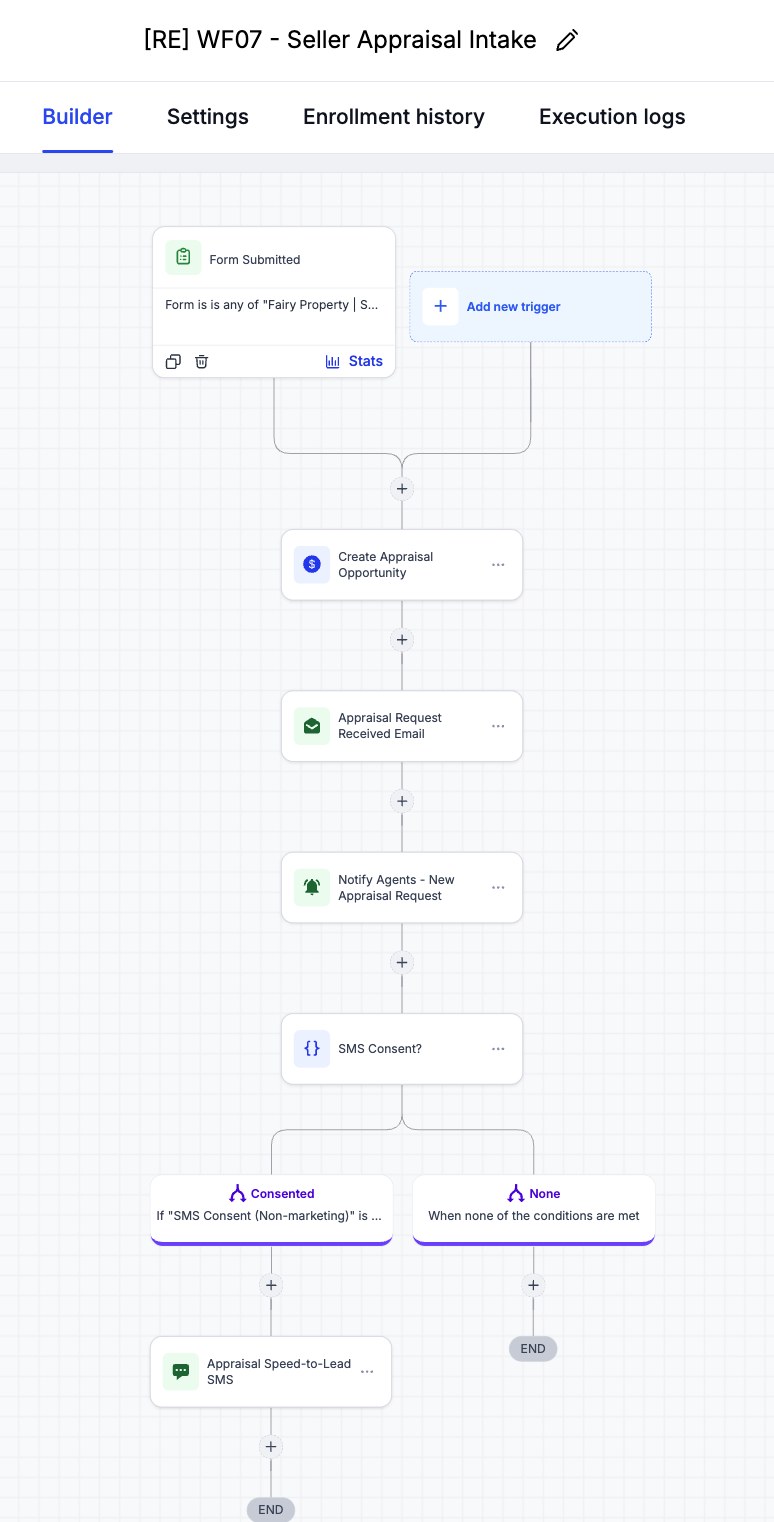
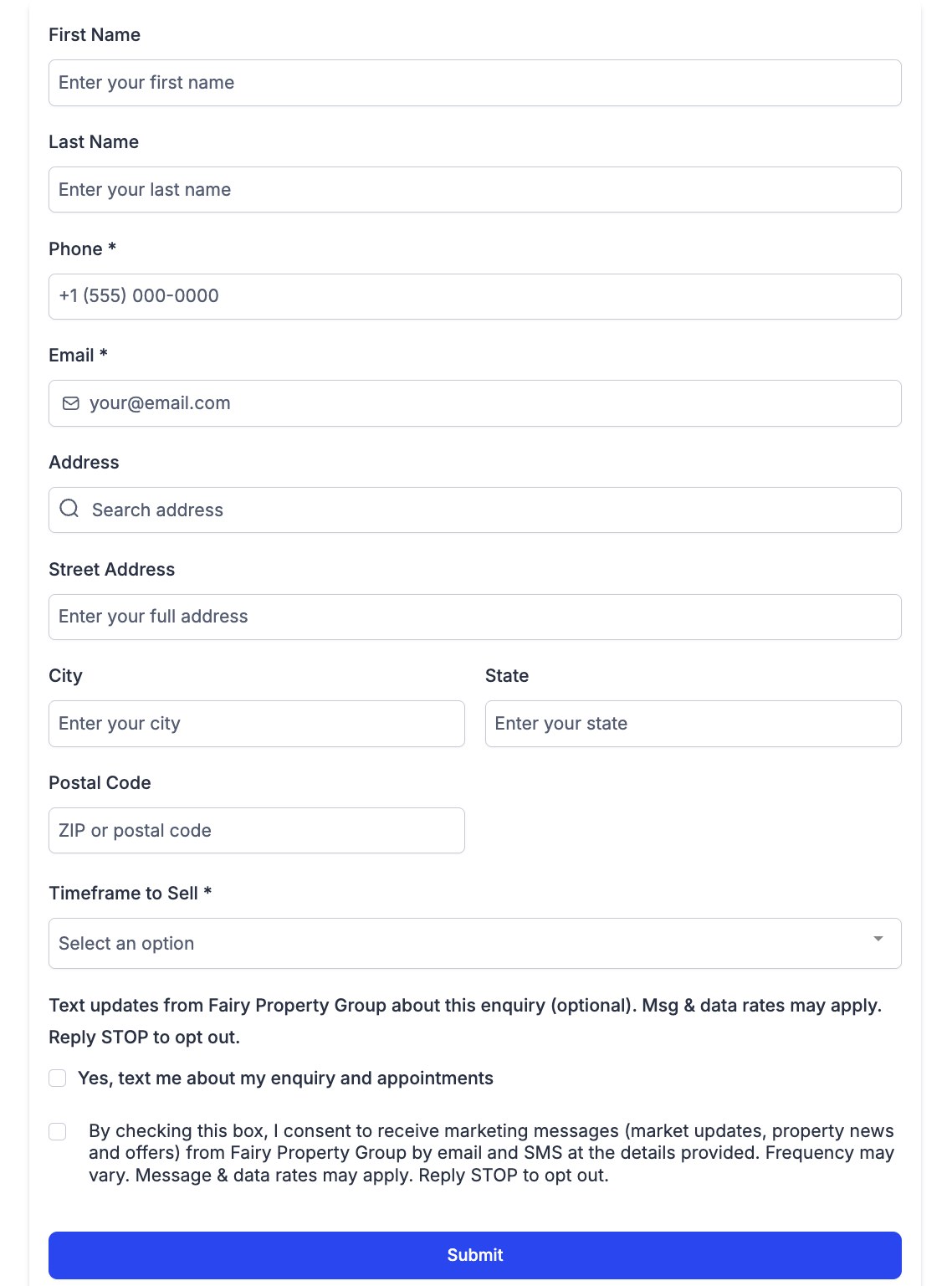
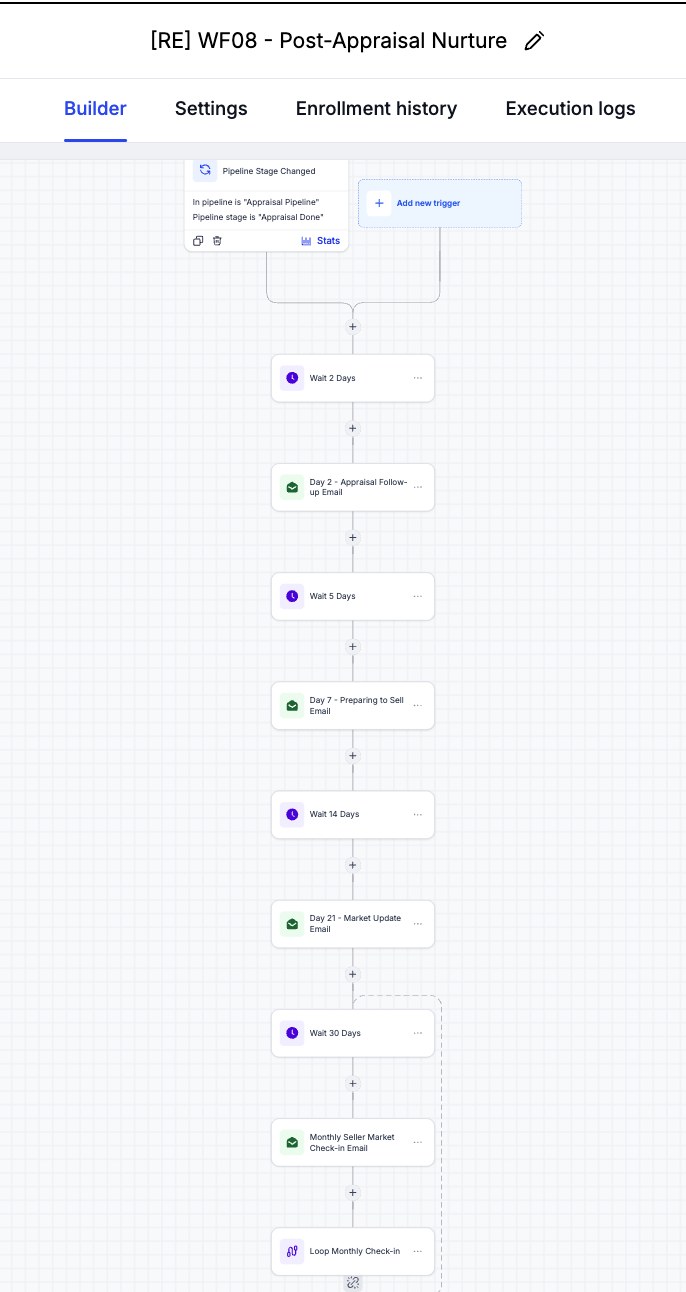
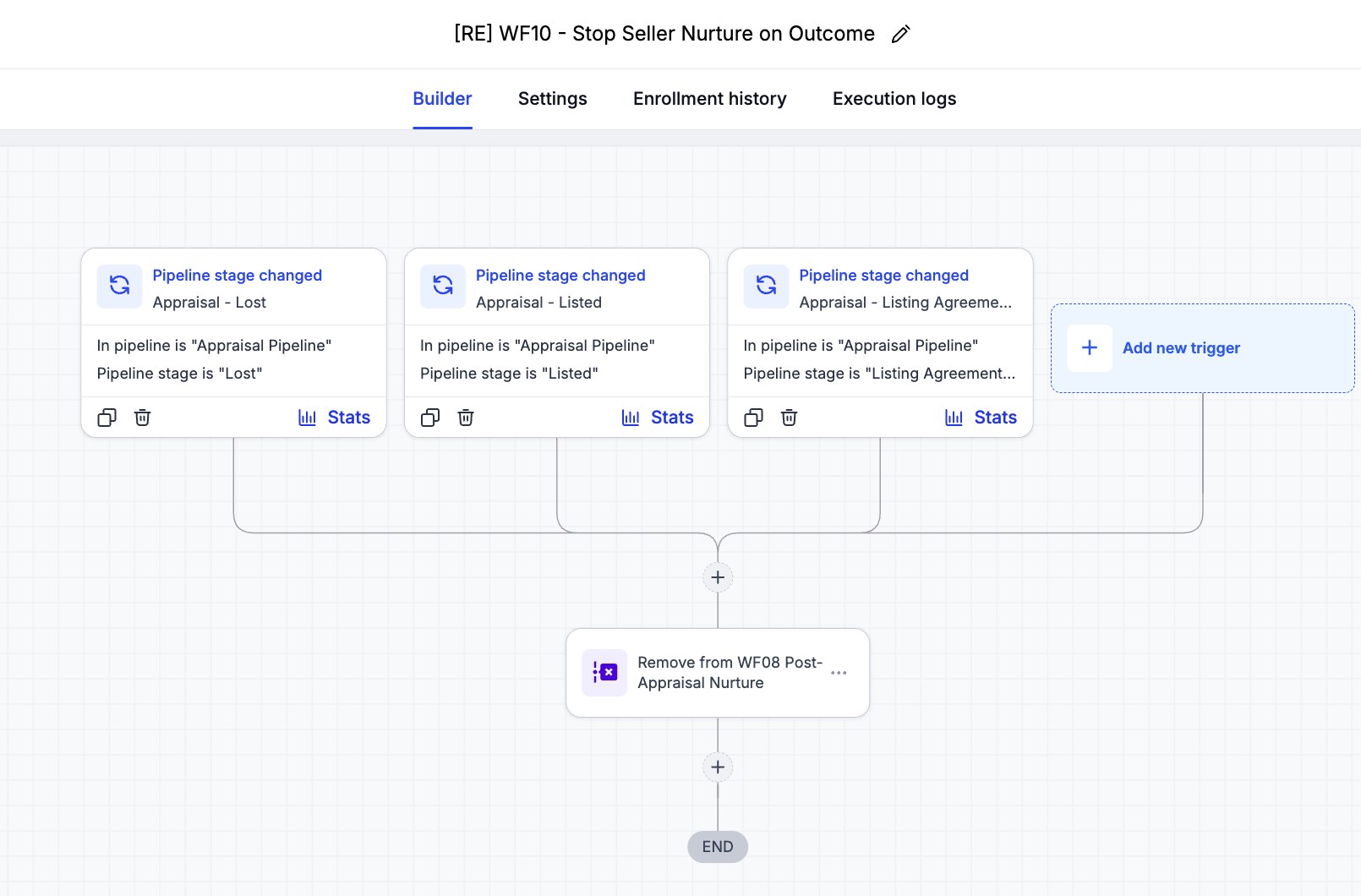
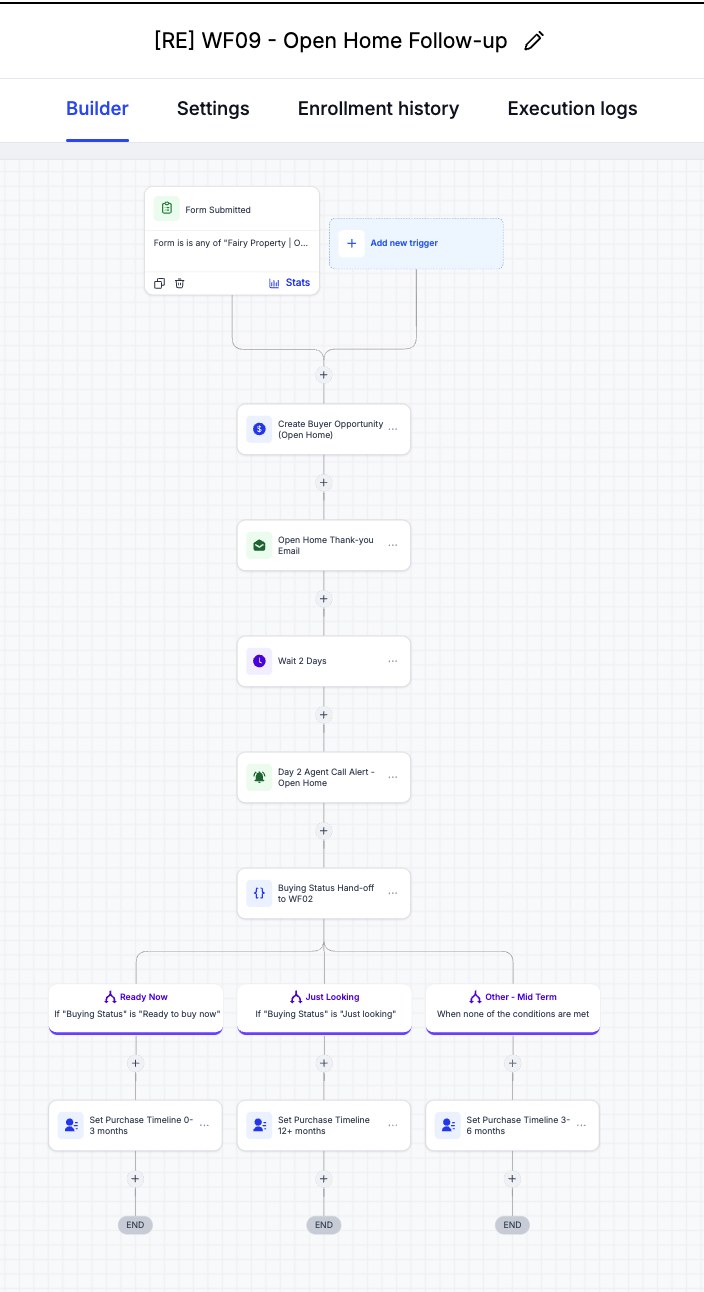
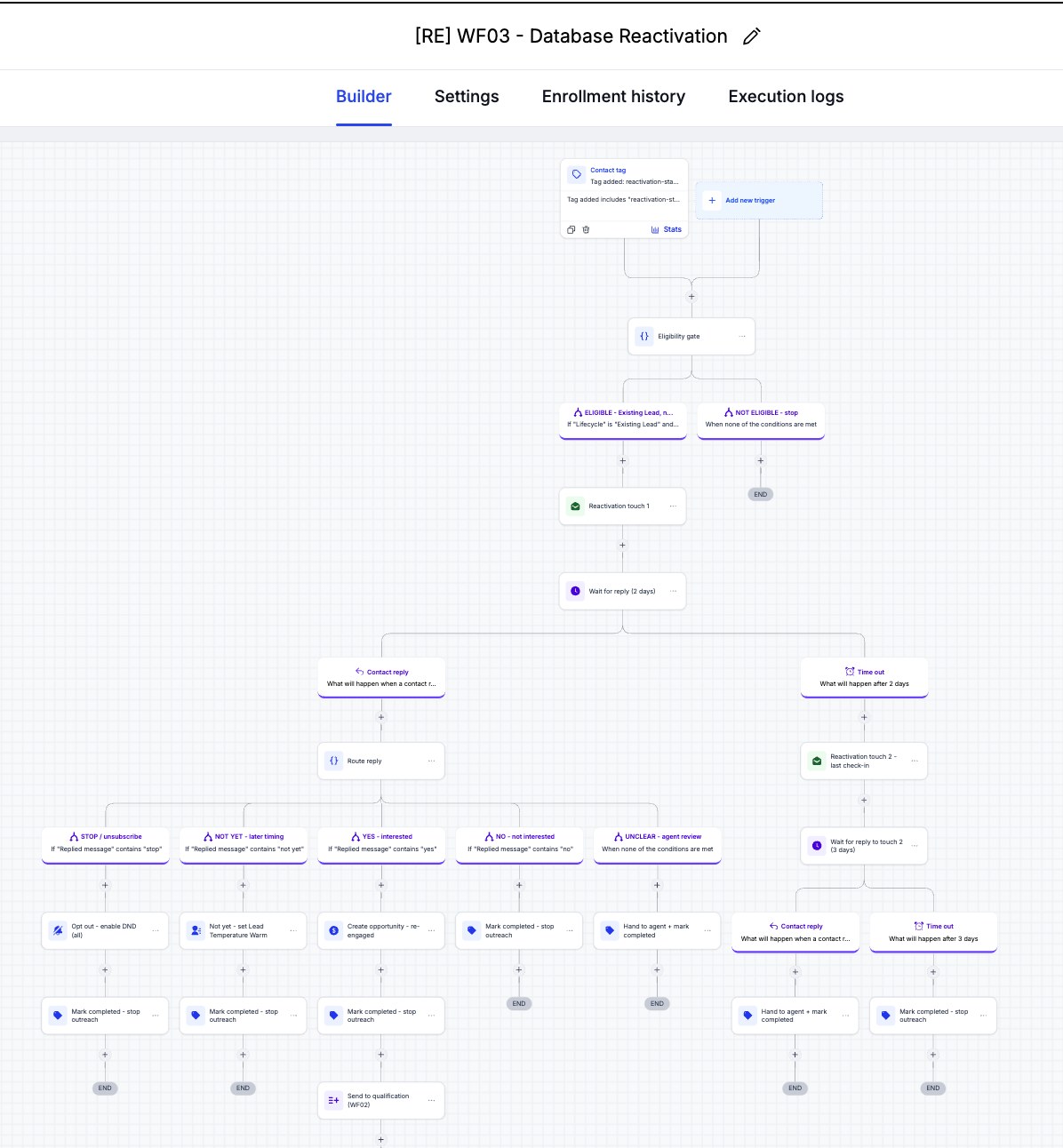
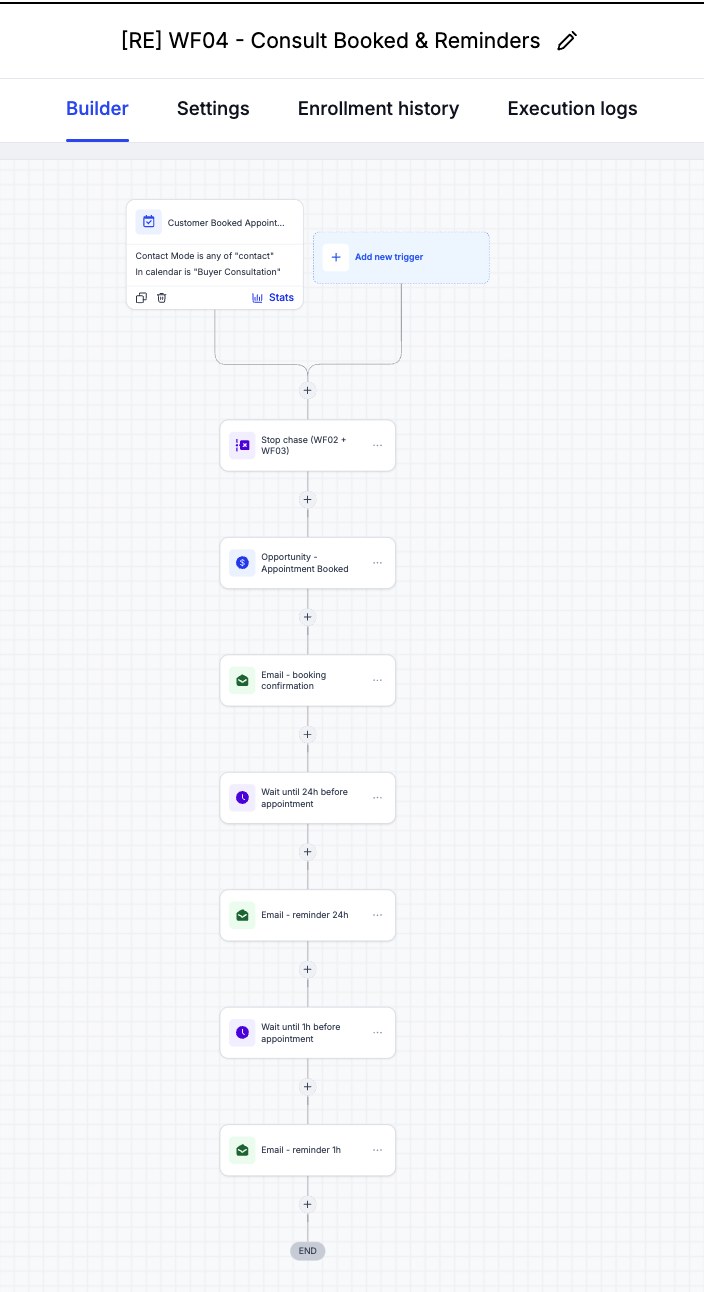
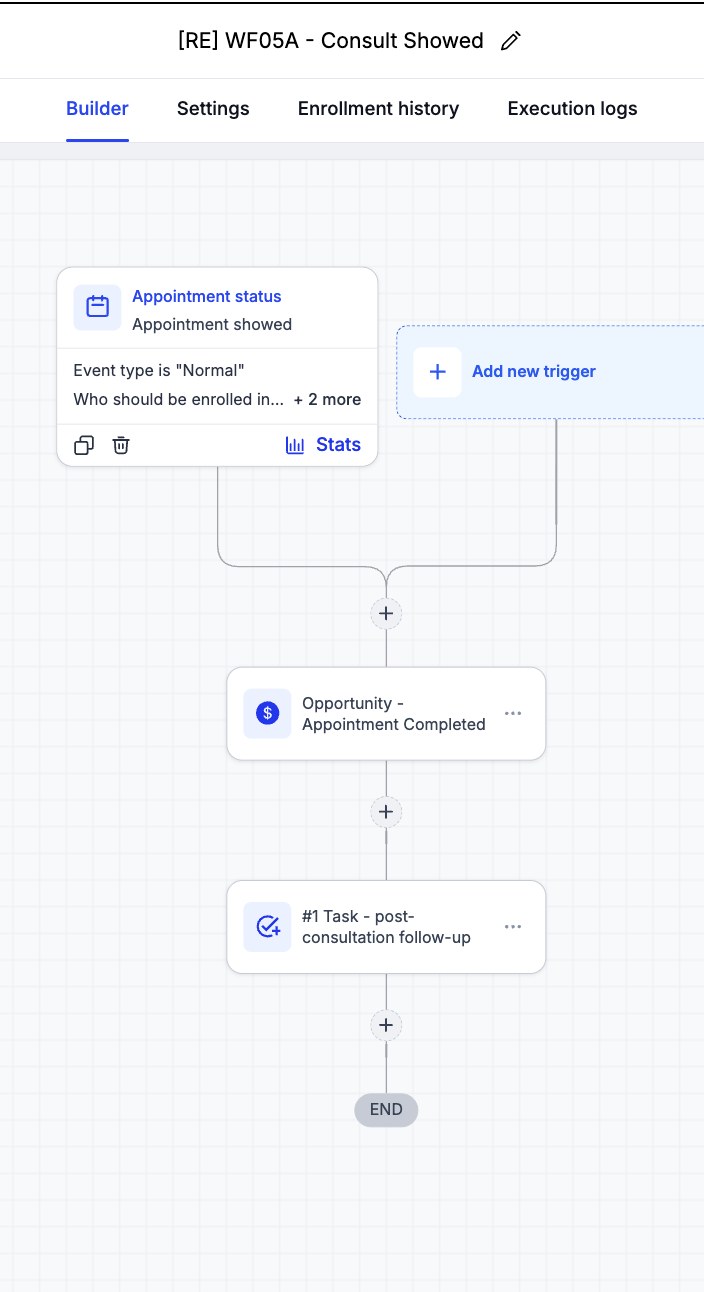
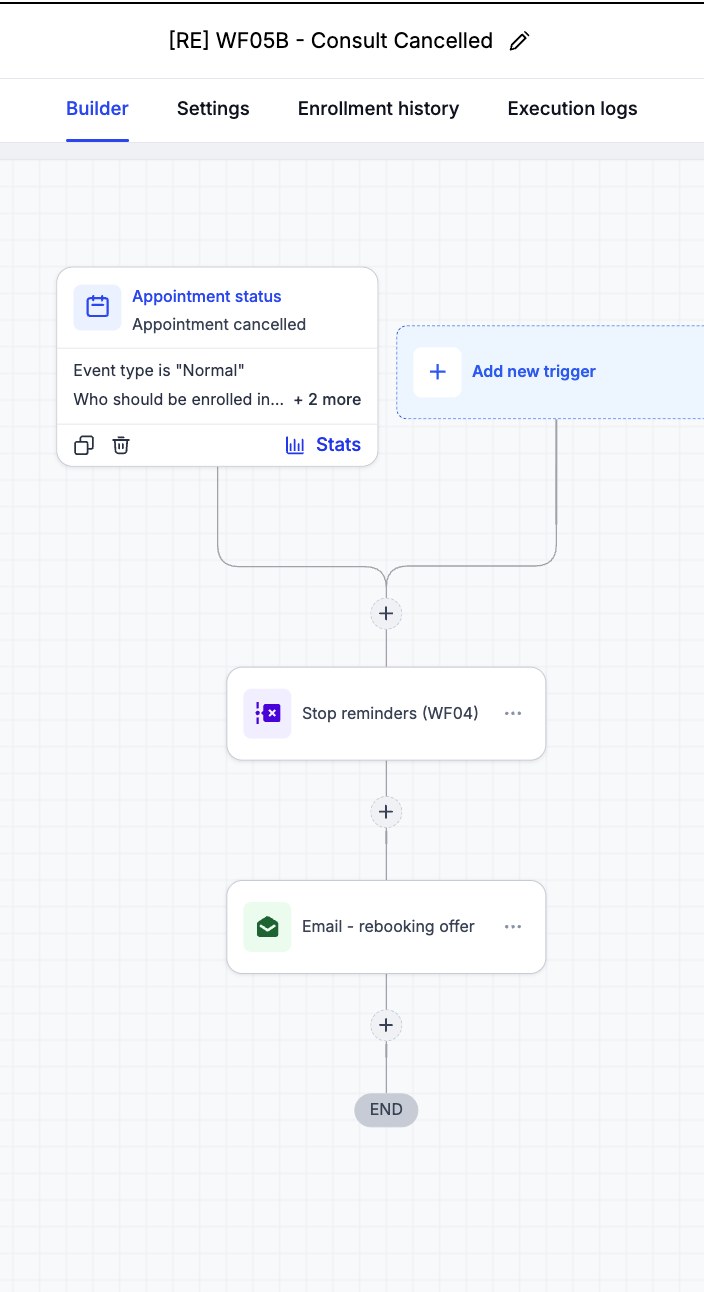
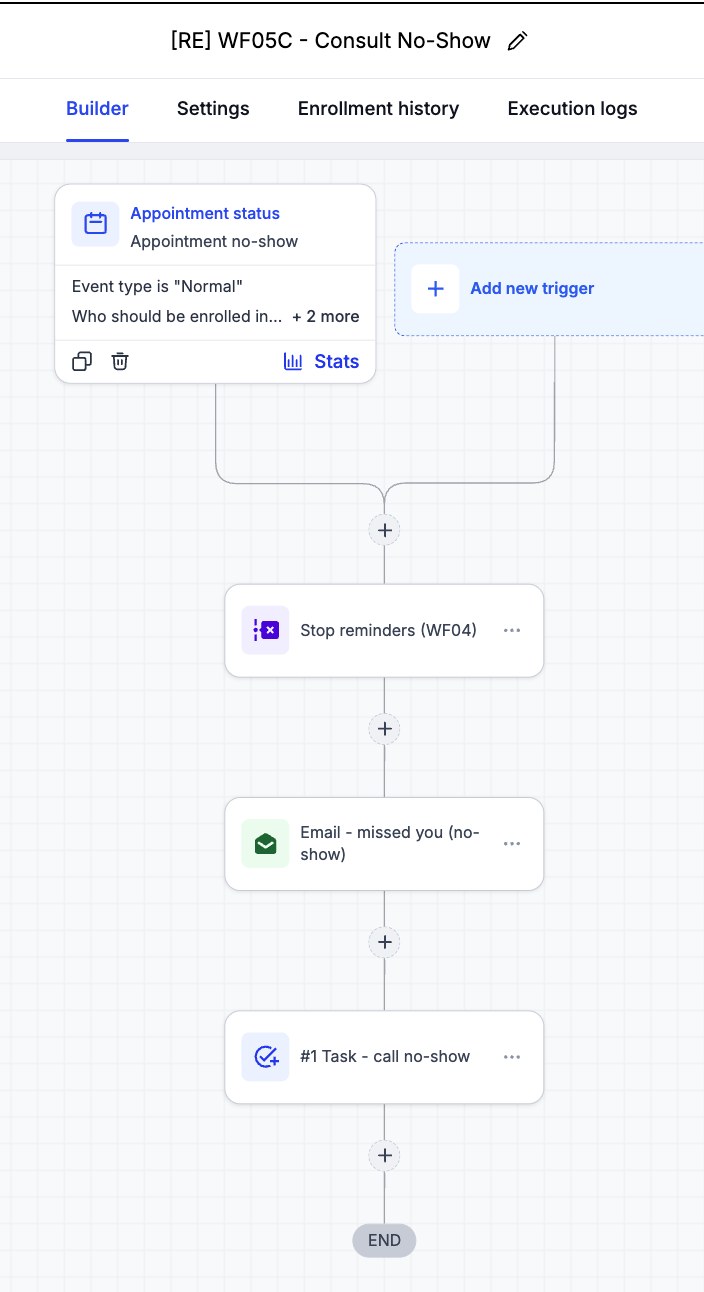
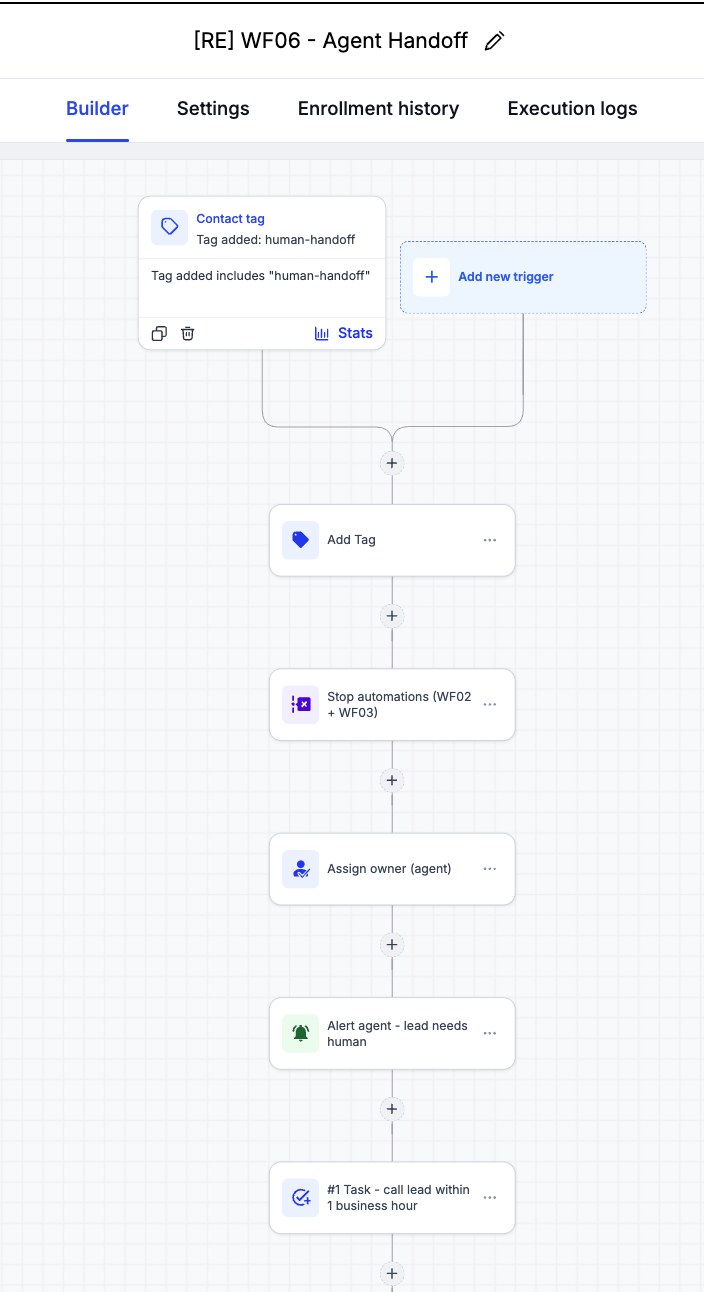
Screenshots from the Fairy Property Group GHL sub-account: the live enquiry funnel, the numbered workflow folders, and the builder for the main workflows, including the new seller appraisal, post-appraisal nurture, and open-home follow-up.
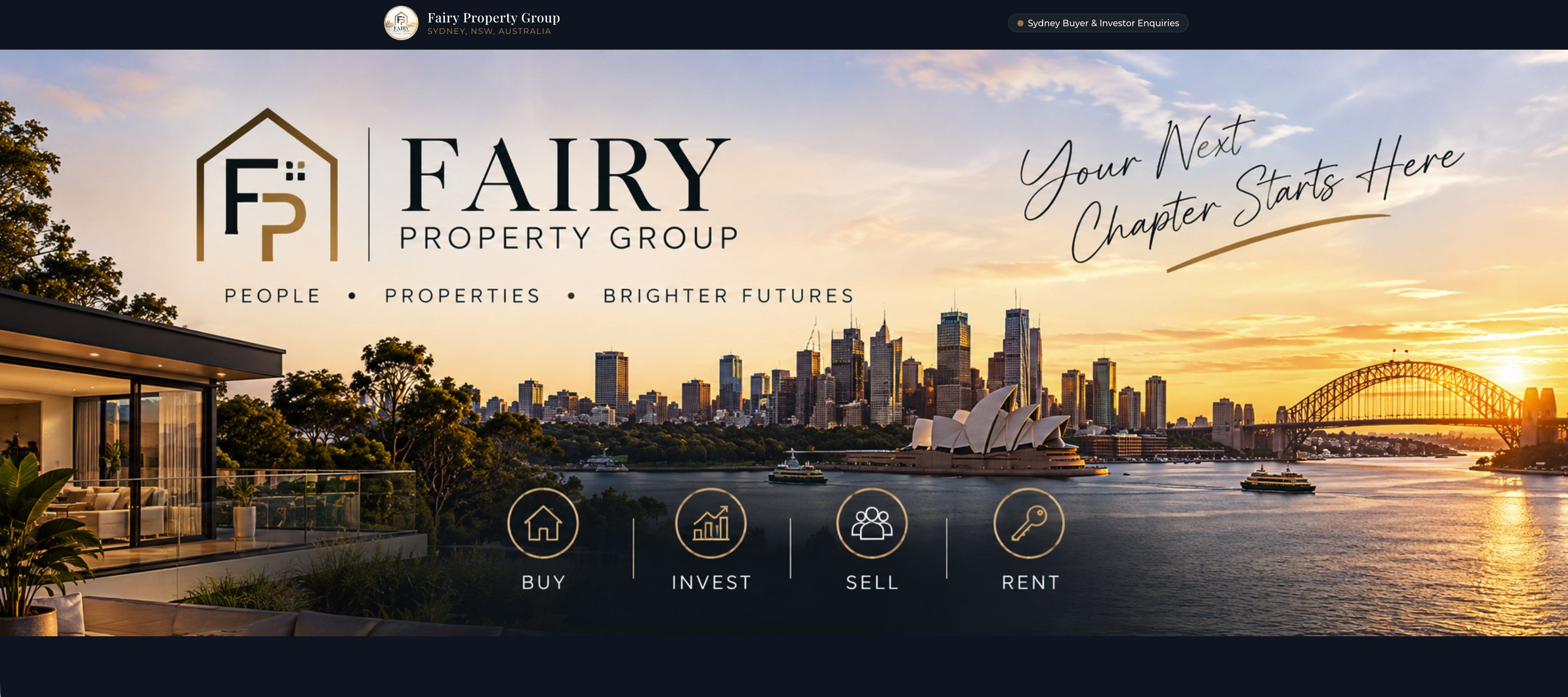 Click to view full size
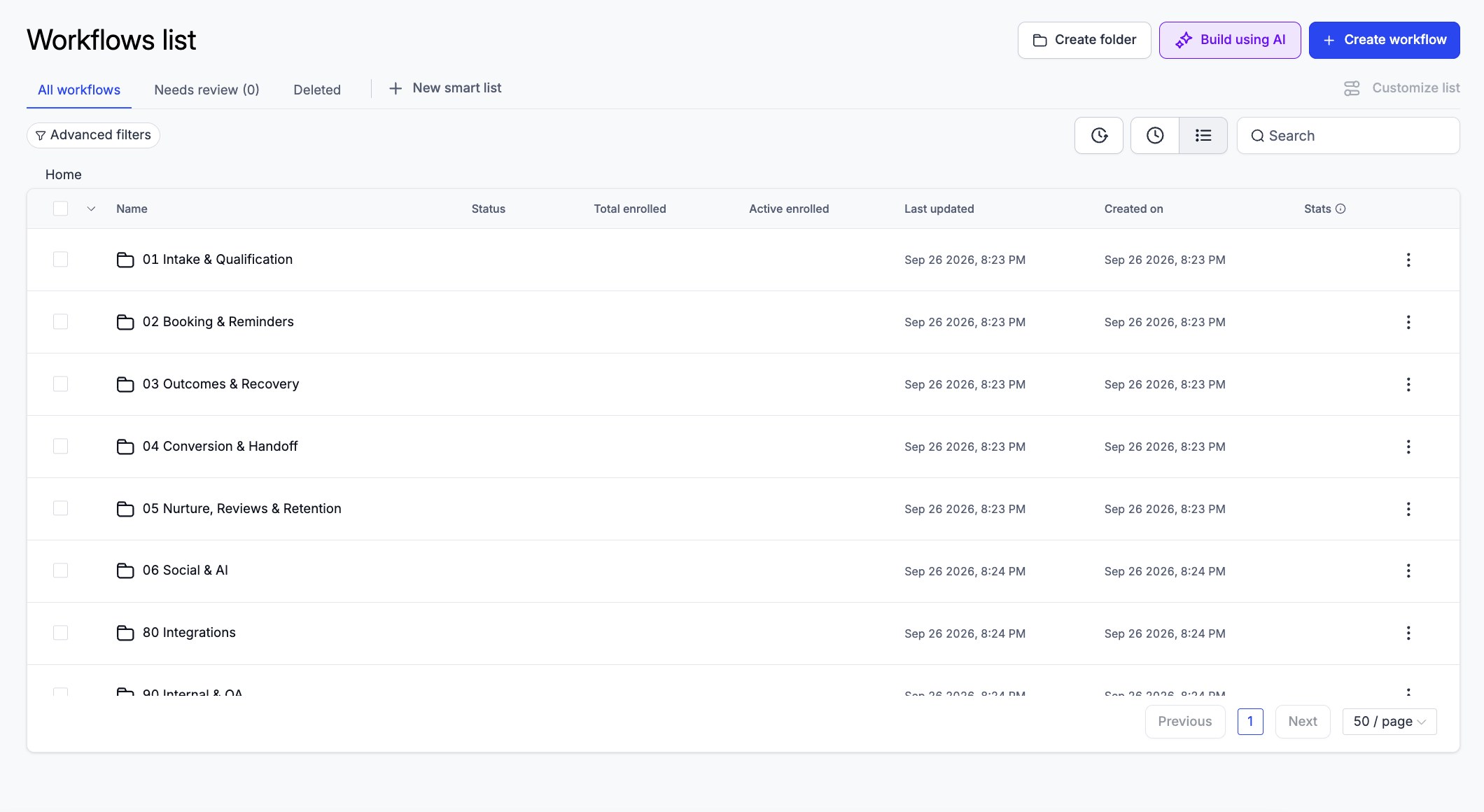 Click to view full size
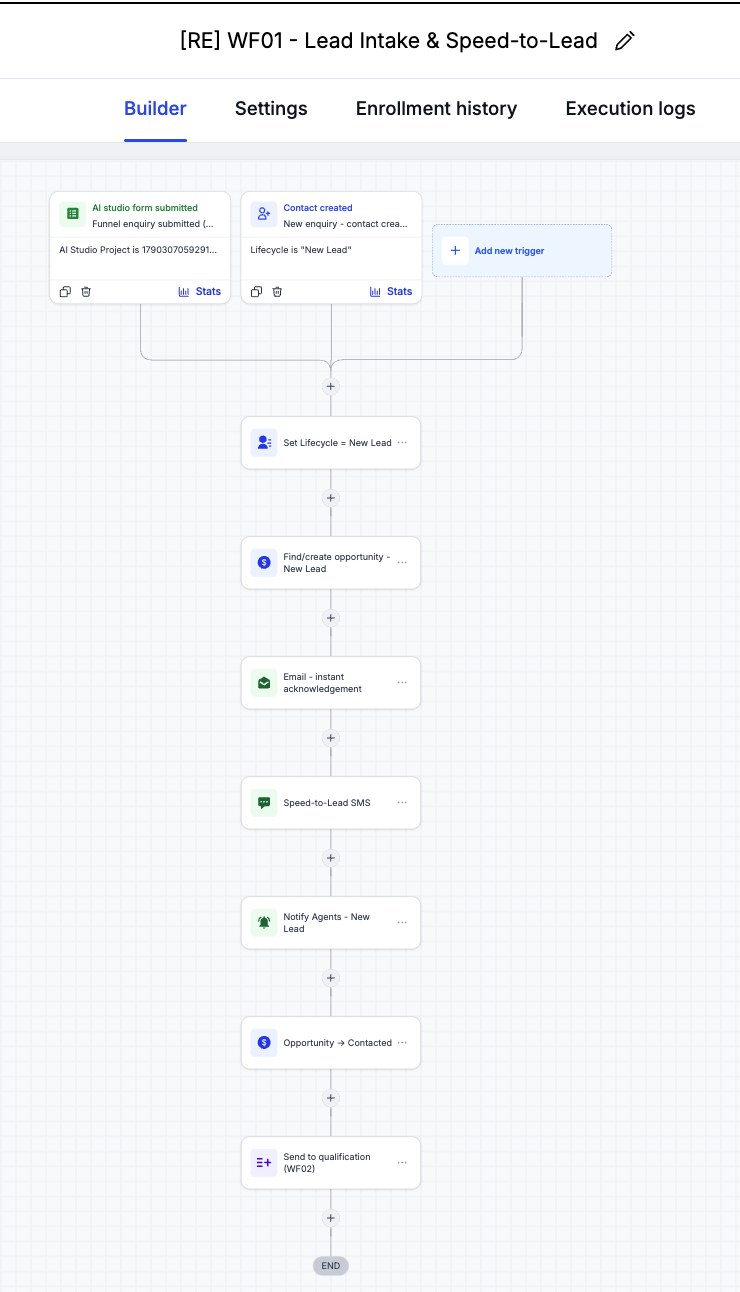 Click to view full size
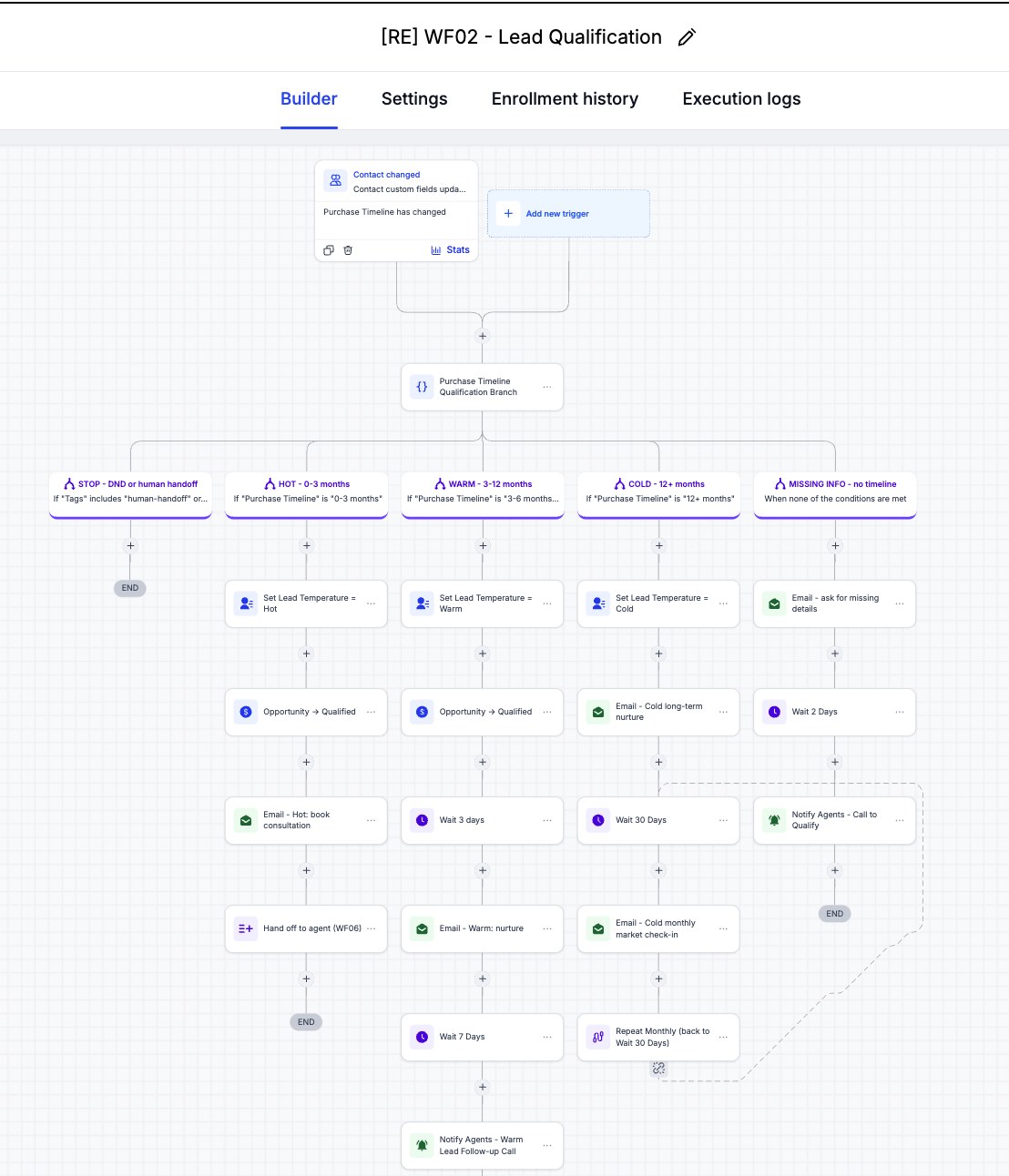 Click to view full size
 Click to view full size
 Click to view full size
 Click to view full size
 Click to view full size
 Click to view full size
 Click to view full size
 Click to view full size
 Click to view full size
 Click to view full size
 Click to view full size
 Click to view full size
 Click to view full size
A full end-to-end regression (25 September 2026) ran 12 test cases on the live domain with one test contact, checking each result inside GHL rather than trusting workflow status alone. Nine cases passed, none failed, and three were not executed live at first; on 7 October the Warm/Cold/Missing-info branches and the 24-hour reminder were run live and passed, leaving only reactivation reply routing (it needs real inbound texts). Six emails were delivered to a real test inbox; no SMS was sent, because the sub-account has no purchased phone number. Four minor issues found during the run were fixed afterwards. The seller appraisal and open-home workflows added on 3 October were each tested live with a form submission: emails were delivered with every Custom Value filled in, and the open-home hand-off to qualification was confirmed on day 2. On 7 October the SMS consent gate, the seller nurture start and stop, and UTM capture also passed. The finished build was saved as a snapshot, test-imported into a blank sub-account on 6 October, and refreshed to v3 on 7 October.
| Test Area | What We Verify | Result |
|---|---|---|
| FPG-REG-001 — Funnel & form validation | The funnel loads over https on the custom domain; an empty form and an unticked consent box are both blocked; submit moves to the booking page with details pre-filled | PASS — all checks confirmed on property.workflowlab.site |
| FPG-REG-002 — New lead intake (WF01) | A funnel submission creates one contact with Lifecycle New Lead, Intent, Preferred Suburb, and Timeline saved; one opportunity opens; the acknowledgement email is delivered | PASS — enrolled once, one opportunity, New Lead → Contacted, email received in the test inbox |
| FPG-REG-003 — Hot qualification (WF02) | A 0–3 month timeline sets Lead Temperature Hot, moves the opportunity to Qualified, sends the booking email, and hands off to WF06 | PASS — all four outcomes confirmed on the contact record |
| FPG-REG-004 — Agent handoff (WF06) | Handoff tags the contact, stops WF02 and WF03, assigns the owner, alerts the agent, and creates a call task | PASS — every step executed; the task was due the next business day (weekend skipped) |
| FPG-REG-005 — Consultation booking (WF04) | Booking on the funnel's calendar moves the same opportunity to Appointment Booked and sends a confirmation | PASS — appointment confirmed at the correct Sydney time, still one opportunity, confirmation delivered |
| FPG-REG-006 — Showed (WF05a) | Marking the appointment Showed moves the opportunity to Appointment Completed and keeps it Open | PASS — stayed Open (not Won); post-consultation task created |
| FPG-REG-007 — No-show (WF05c) | A no-show stops the reminders, sends the 'sorry we missed you' email, and creates a call task | PASS — email and task confirmed |
| FPG-REG-008 — Cancelled (WF05b) | A cancellation stops the WF04 reminders and sends the rebooking email | PASS — rebooking email sent; WF04 active enrolments dropped to 0 |
| FPG-REG-009 — Reactivation guardrails (WF03) | Only existing leads without DND can enter the reactivation campaign | PASS — a DND contact and a new funnel lead were both stopped at the gate; nothing was sent |
| FPG-REG-010 — 24-hour and 1-hour reminders (WF04) | Reminder emails send before the appointment | PASS — re-run 7–8 Oct 2026: a consultation booked ~30 hours ahead received the 24-hour reminder email on time, then the 1-hour reminder email one hour before the start |
| FPG-REG-011 — Reactivation reply routing (WF03) | YES / NOT YET / NO / STOP / unclear replies each take the right branch | NOT EXECUTED — needs real inbound replies; branch logic reviewed in the builder |
| FPG-REG-012 — Warm, Cold, and Missing-info branches (WF02) | 3–12 month, 12+ month, and incomplete leads take their own branch | PASS — re-run 7 Oct 2026: a 3–6 month lead was marked Warm, a 12+ month lead was marked Cold and got the long-term nurture email, and a lead with no timeline got the one 'quick question' email |
| Issues found & fixed after the regression | Wording and consistency problems spotted during the run | Fixed: booking-page timezone label, 'Sydney time' in reminder emails (GHL shows the contact's local time), inconsistent opportunity naming, and leftover AI Studio page metadata |
| Seller Appraisal Form → WF07 (3 Oct) | A form submission opens an Appraisal opportunity, sends the confirmation email with Custom Values filled in, and alerts agents | PASS — opportunity created at Appraisal Requested, email delivered with business name, phone, and booking link rendered, agent alert sent. The SMS step was skipped (no phone number in the account) |
| Open Home Check-in → WF09 (3–5 Oct) | Thank-you email, day-2 agent alert, and hand-off to WF02 by setting the purchase timeline | PASS — thank-you email delivered, day-2 alert sent, timeline set to 3–6 months, and WF02's trigger fired. WF02 skipped this contact only because the same test contact had already been through WF02 (re-entry is off); a new buyer enters normally |
| SMS consent gate on the seller form (7 Oct) | Only sellers who tick the optional SMS consent box get the speed-to-lead text; everyone still gets the email and the agent alert | PASS — consent ticked: SMS step ran (not delivered: no number in the account); not ticked: no SMS; email and agent alert sent for both |
| Seller nurture start and stop — WF08 / WF10 (7 Oct) | Marking an appraisal done starts the nurture; moving the seller to Listed stops it | PASS — Appraisal Done enrolled the seller in WF08; moving to Listed removed them via WF10 |
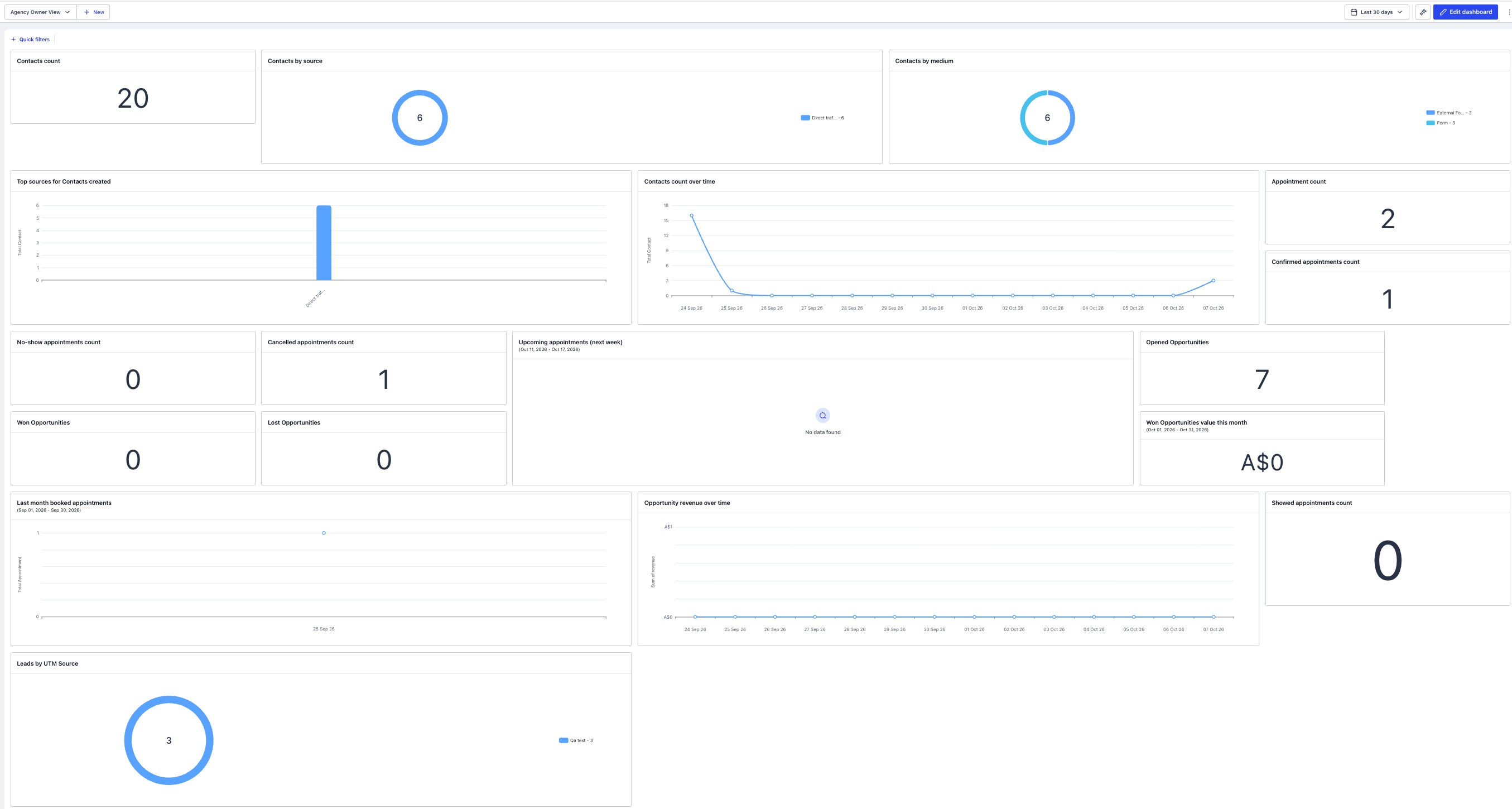
| UTM capture + owner dashboard (7 Oct) | UTM source, medium, and campaign from the form link are saved on the contact and shown on the dashboard | PASS — seller-form leads show qa_test / email / campaign on the contact and in the dashboard's 'Leads by UTM Source' chart. The coded buyer funnel page does not yet pass UTMs through (per-client setup) |
| Snapshot test-import (6 Oct) | The saved snapshot loads into a blank sub-account with workflows, pipelines, and forms still linked | PASS — all 11 [RE] workflows, 3 pipelines, and both new forms imported; WF07's trigger and opportunity step still point at the imported form and Appraisal pipeline. Custom Values arrive empty and are filled during client setup |
Share how your agency follows up enquiries today and I'll map where a GHL pipeline, qualification, and reactivation workflows like these can take over.