Problem
A home-services business needs a structured way to capture leads, manage quote visits, follow up with customers, manage opportunities, and move customers through the lead-to-job lifecycle.
A full GHL lead-to-job system for Idol Air & Electrical: a public free-quote funnel feeds CRM lead capture, an opportunity pipeline, quote-visit booking and status handling, estimate follow-up, and job completion — plus emergency and after-hours routing, a filtered review request, a 6-month maintenance reminder, and missed-call recovery. Packaged as a reusable GHL snapshot driven by Custom Values.
Problem
A home-services business needs a structured way to capture leads, manage quote visits, follow up with customers, manage opportunities, and move customers through the lead-to-job lifecycle.
Solution
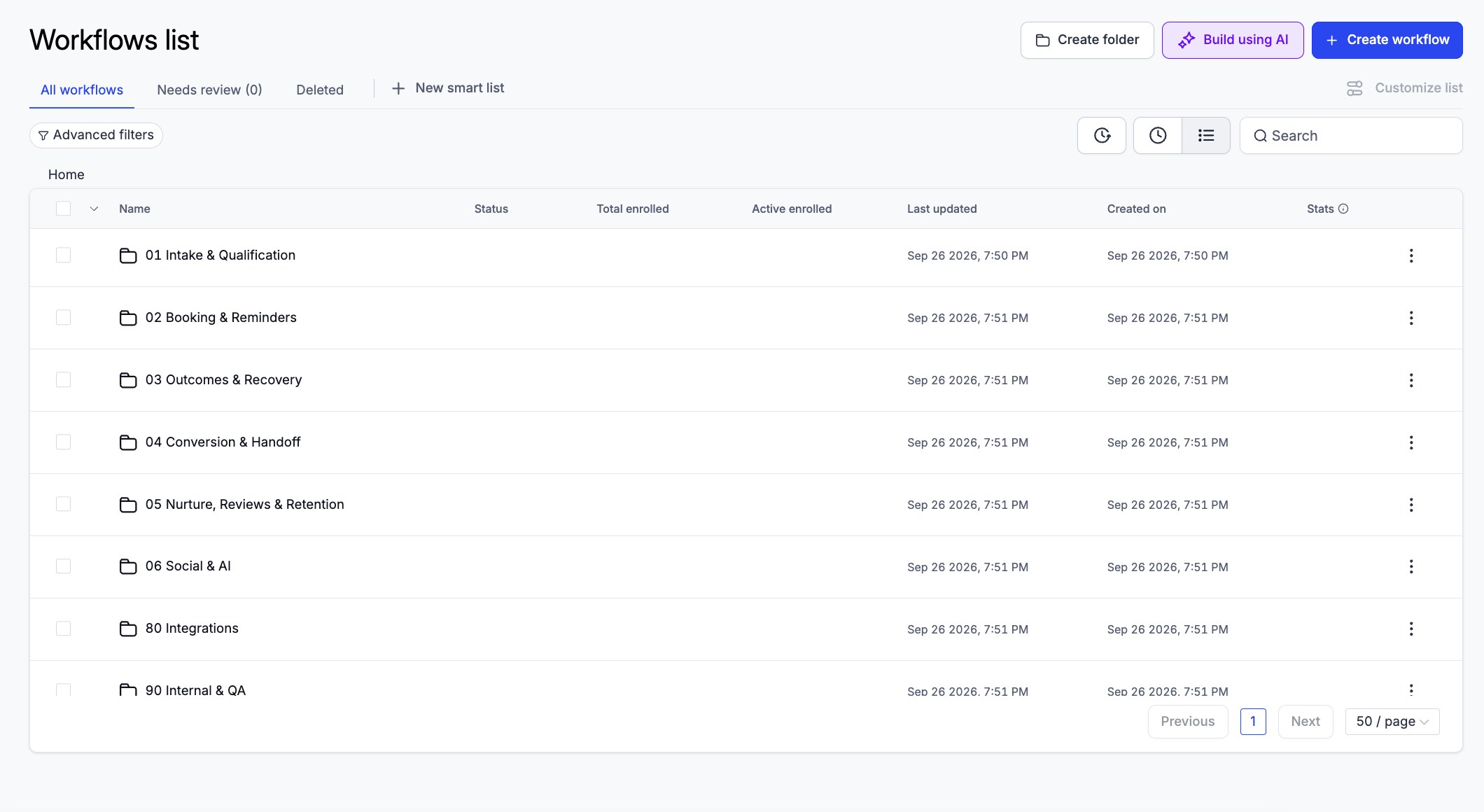
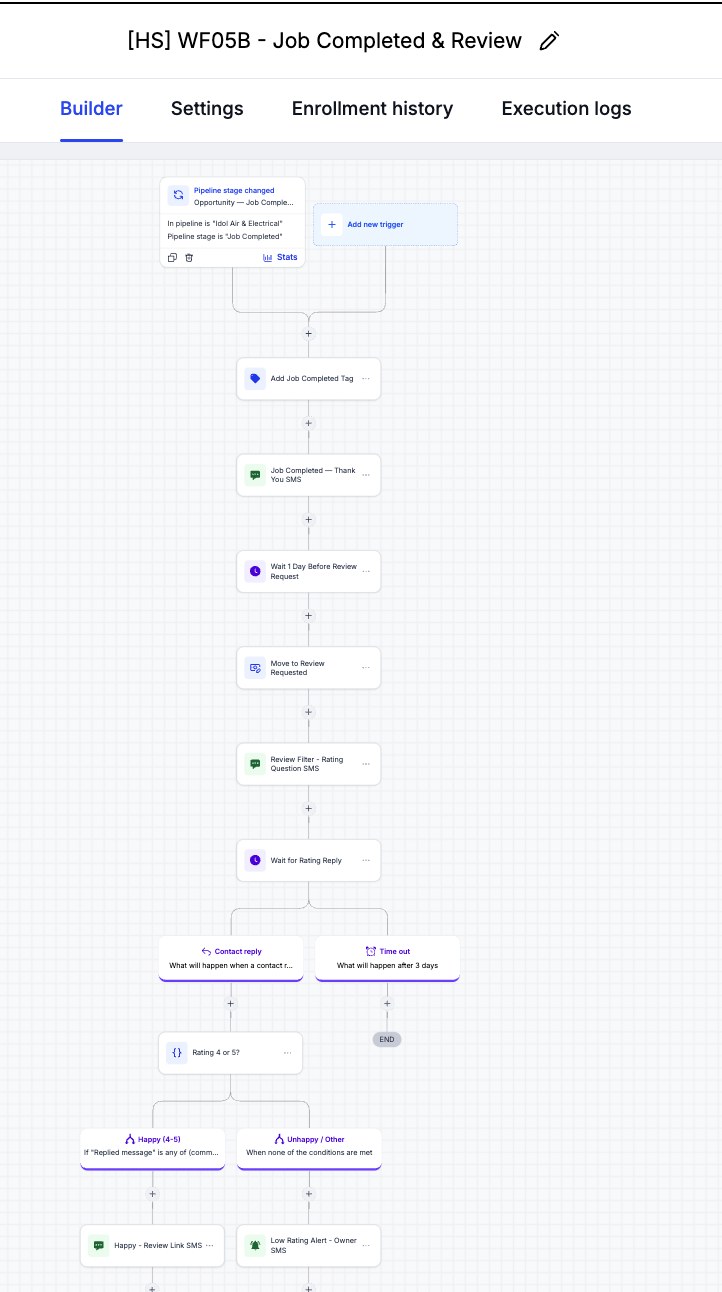
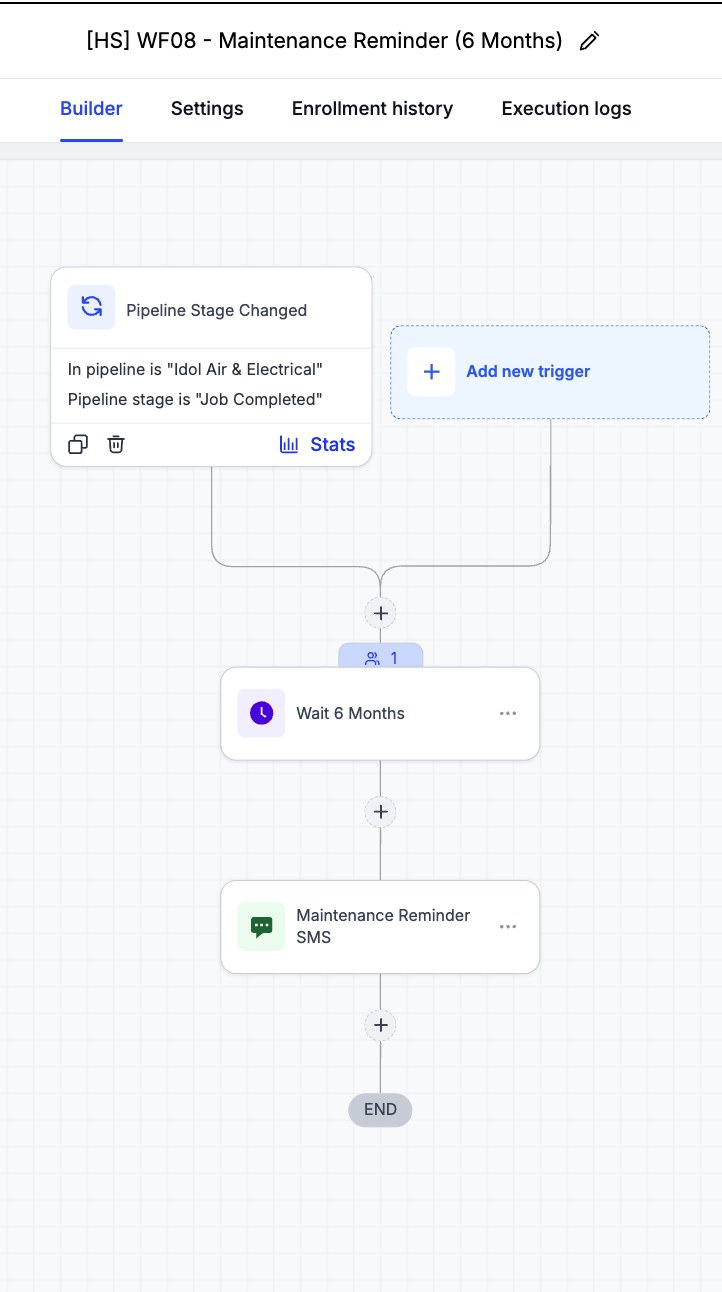
Fourteen single-purpose GoHighLevel workflows (WF01A–WF08), organised into numbered folders, connect the public quote funnel to lead intake, emergency routing, quote-visit booking and outcomes, estimate follow-up, job completion, reviews, and repeat business. Business name, phone numbers, booking and review links all come from Custom Values, so the whole system can be re-branded for a new client without editing a single message.
Result
A lead can move from a website quote request through quote visit, estimate acceptance, and job completion to a filtered review request and a 6-month maintenance reminder without duplicate manual entry. The full build was saved as a snapshot and imported cleanly into a blank sub-account.
Start with the three system branches, then open the parts you want to inspect.
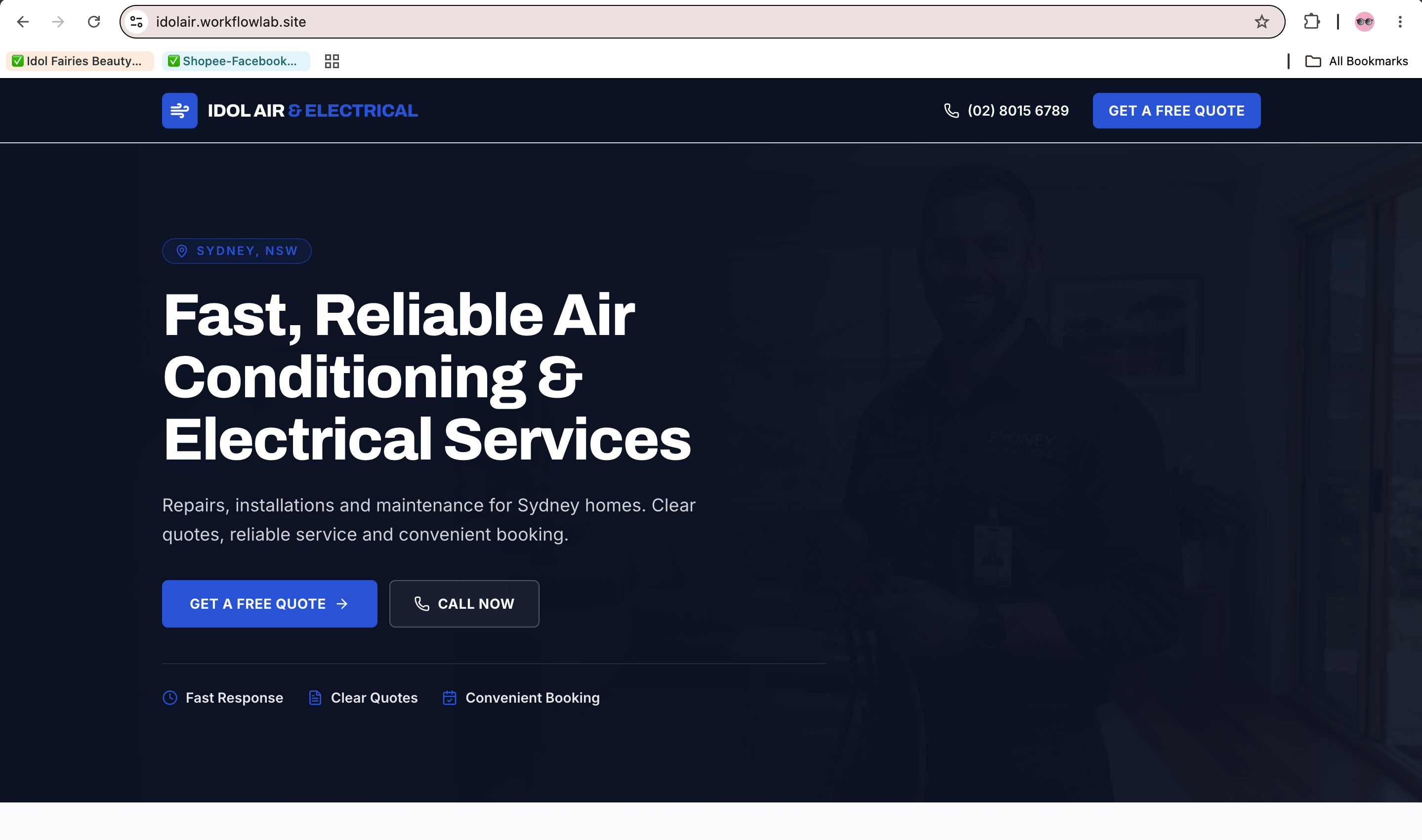
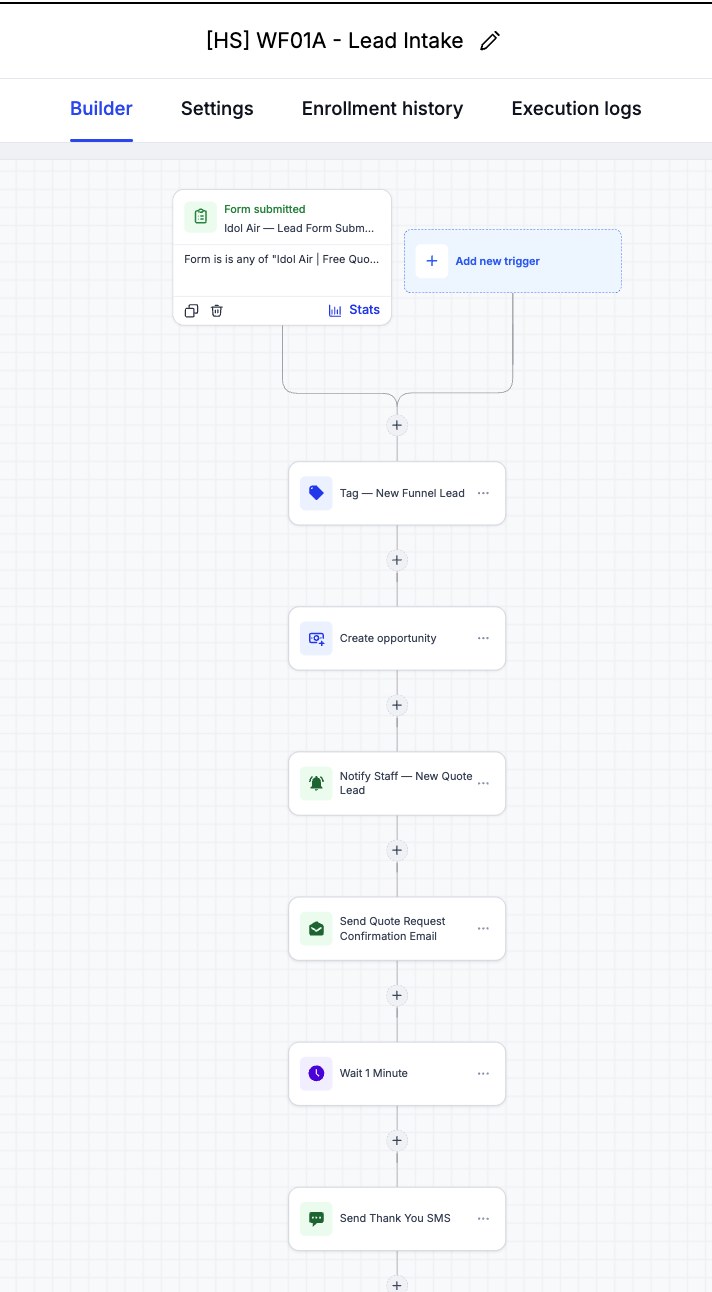
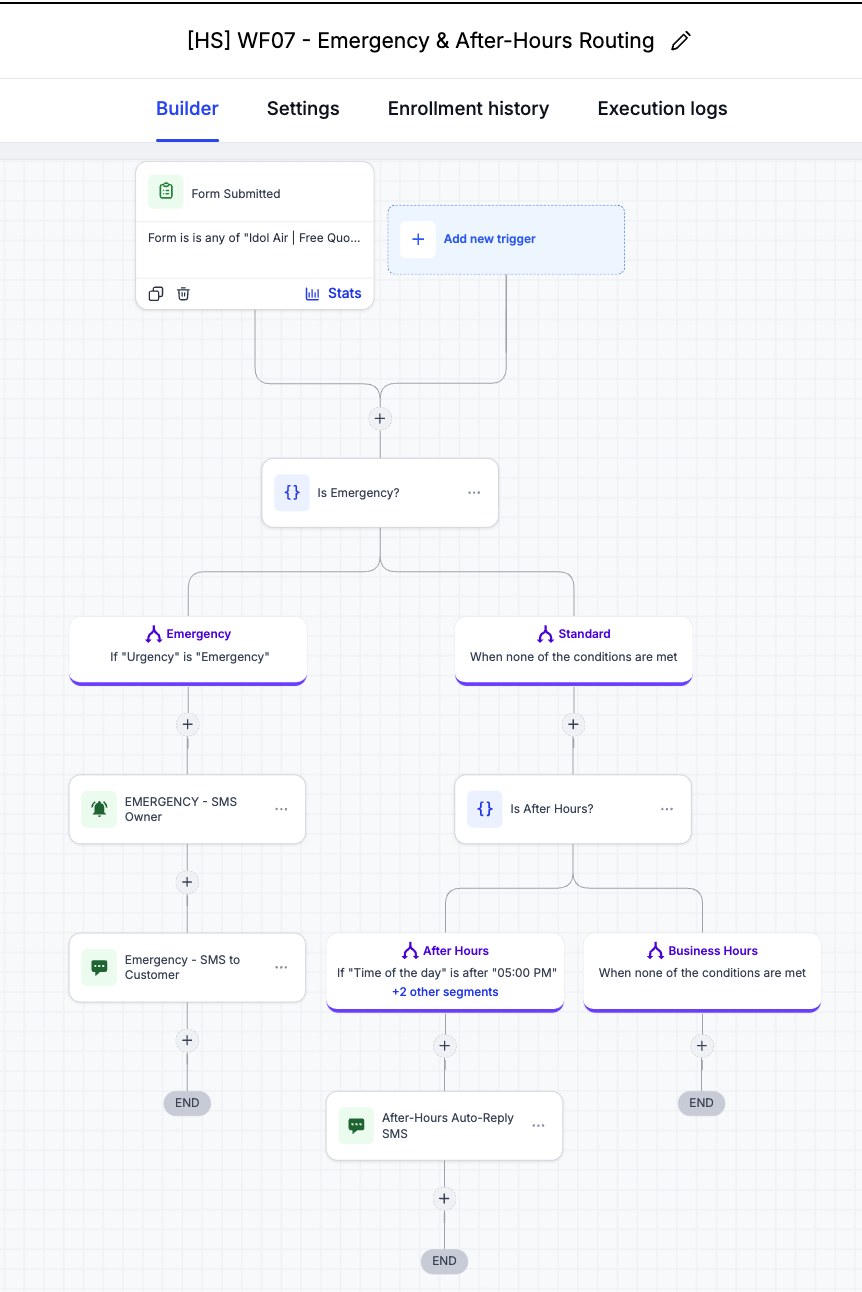
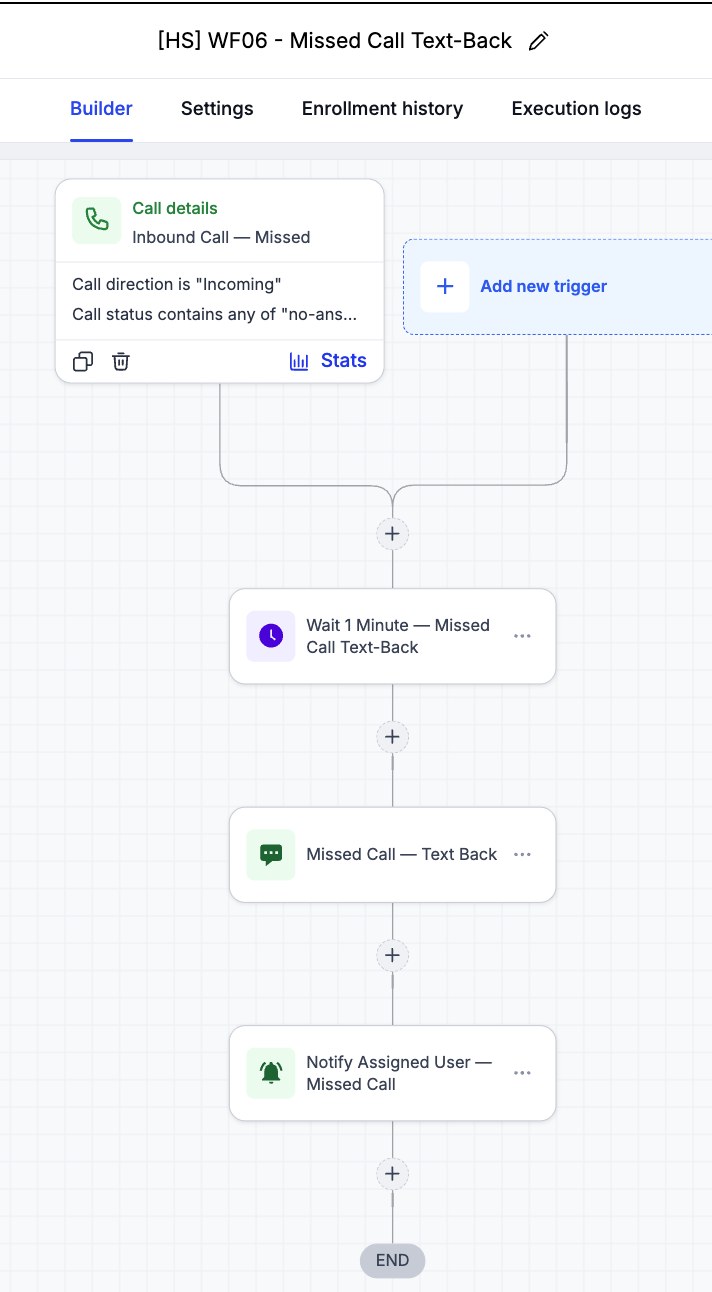
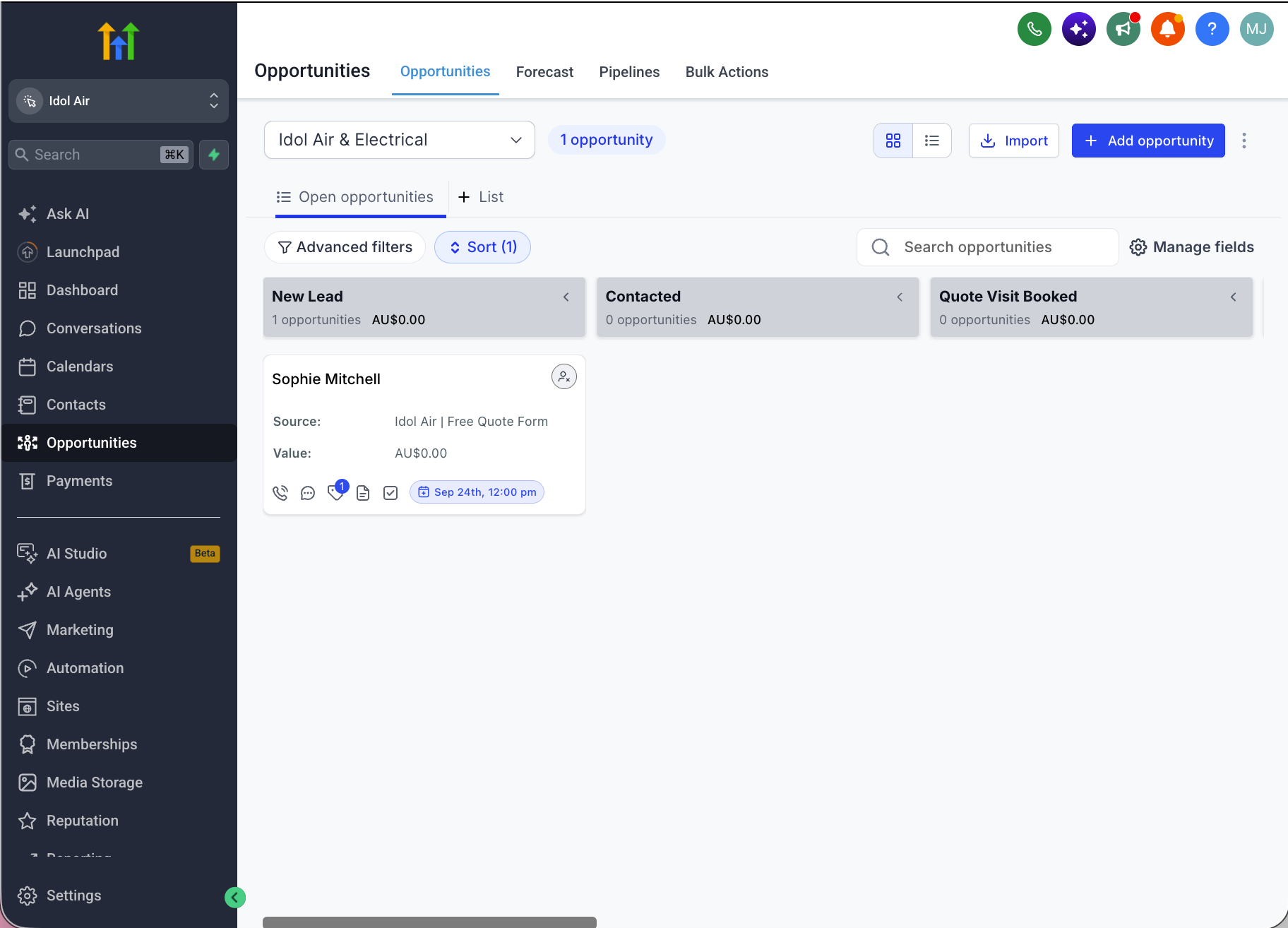
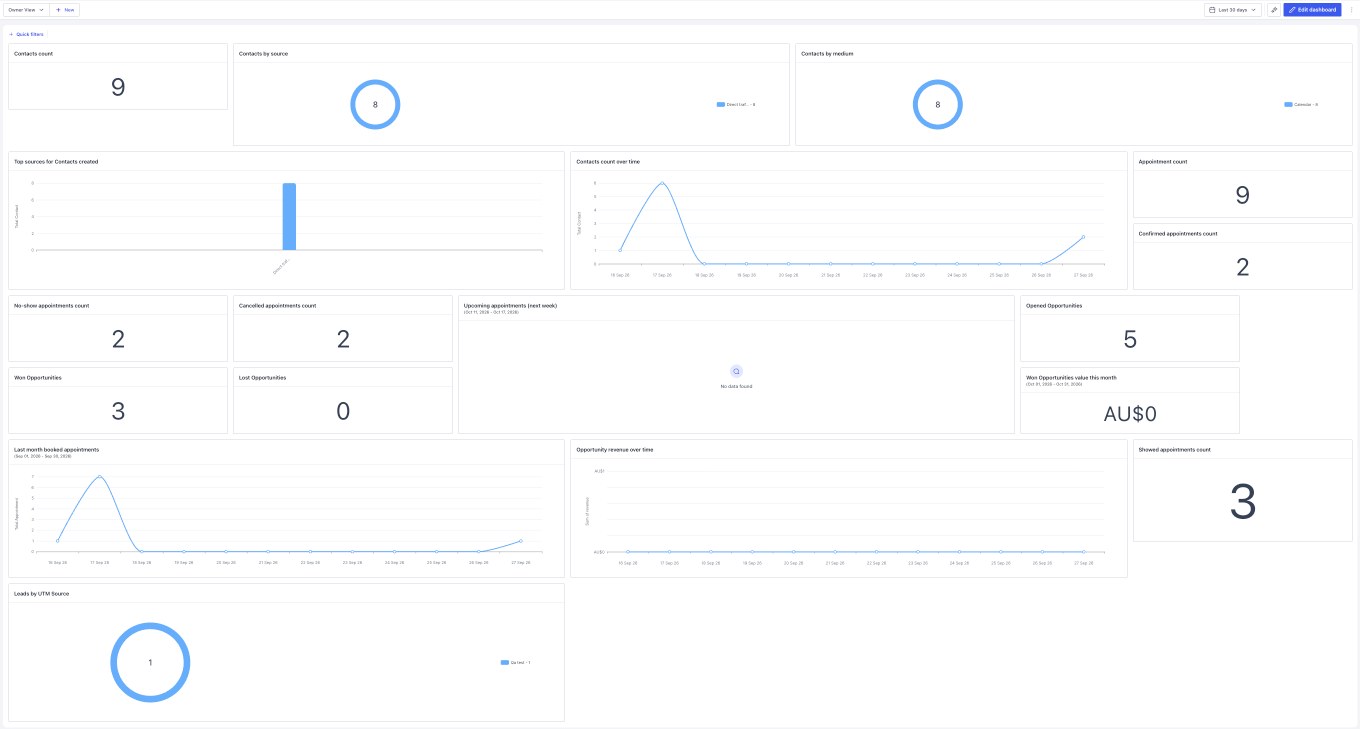
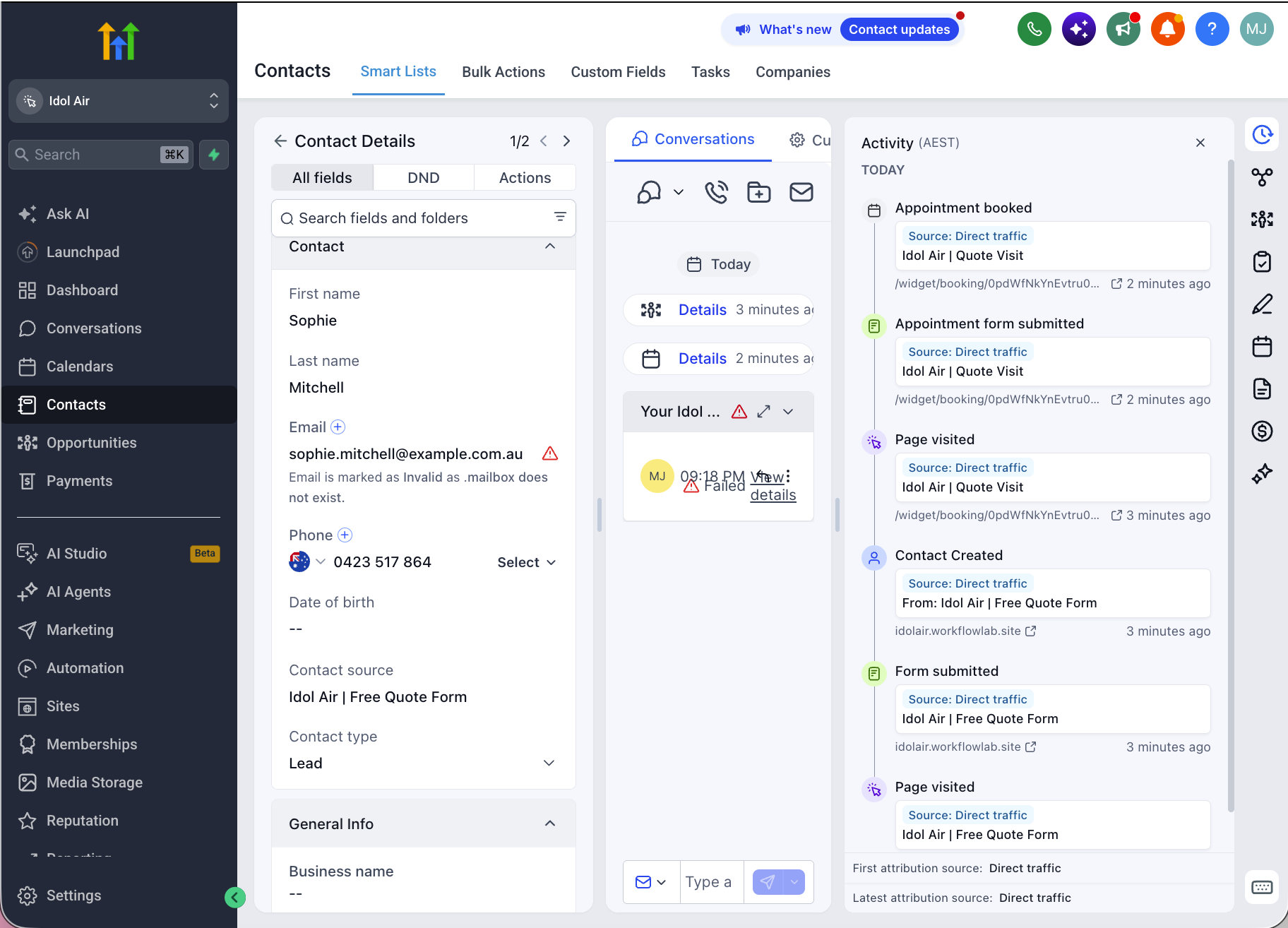
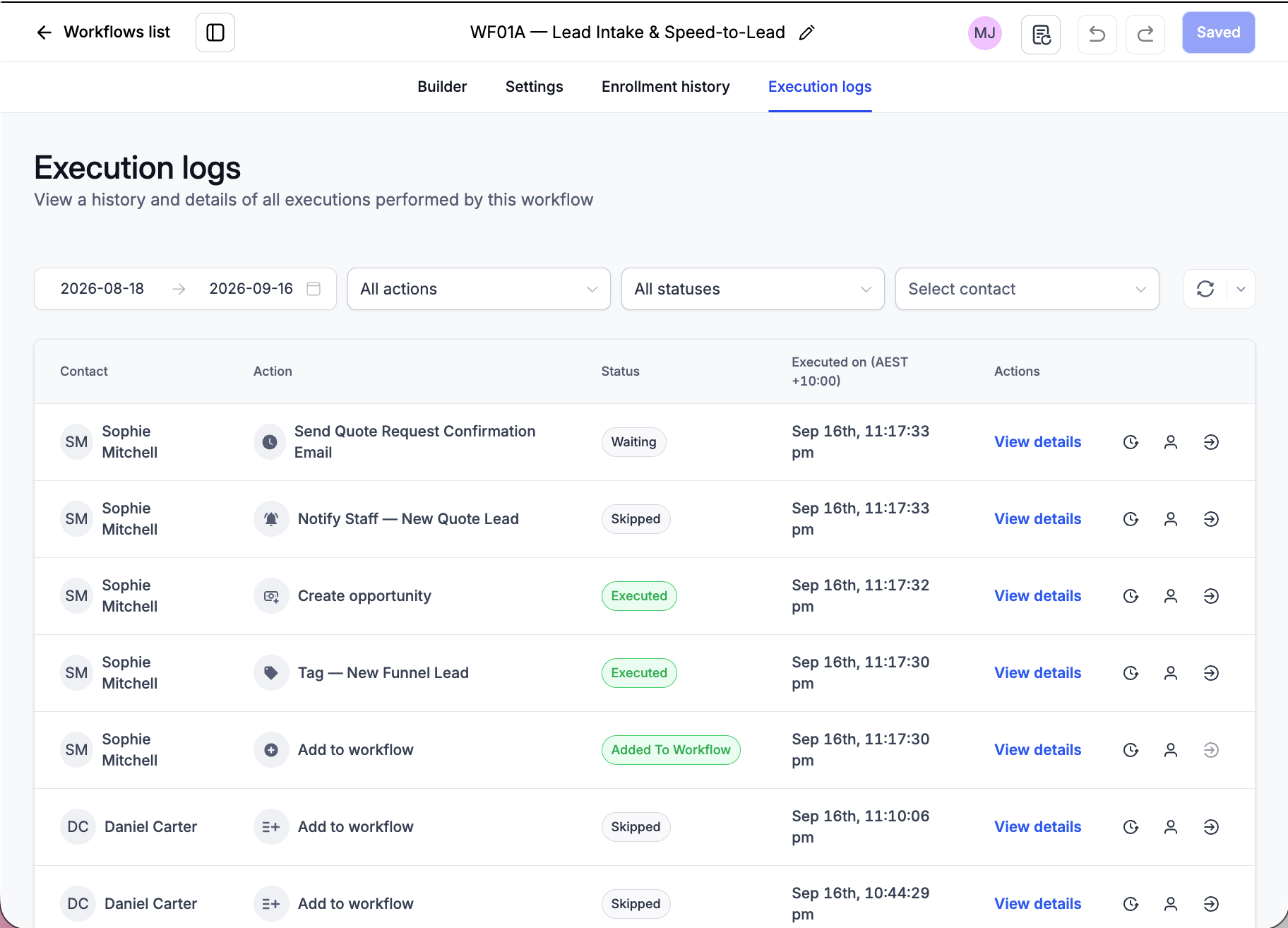
Screenshots from the live Idol Air & Electrical GHL sub-account: the published funnel, the numbered workflow folders, the builder for each key workflow (including emergency routing and the review filter), the opportunity pipeline, the contact timeline, and execution logs.
 Click to view full size
 Click to view full size
 Click to view full size
 Click to view full size
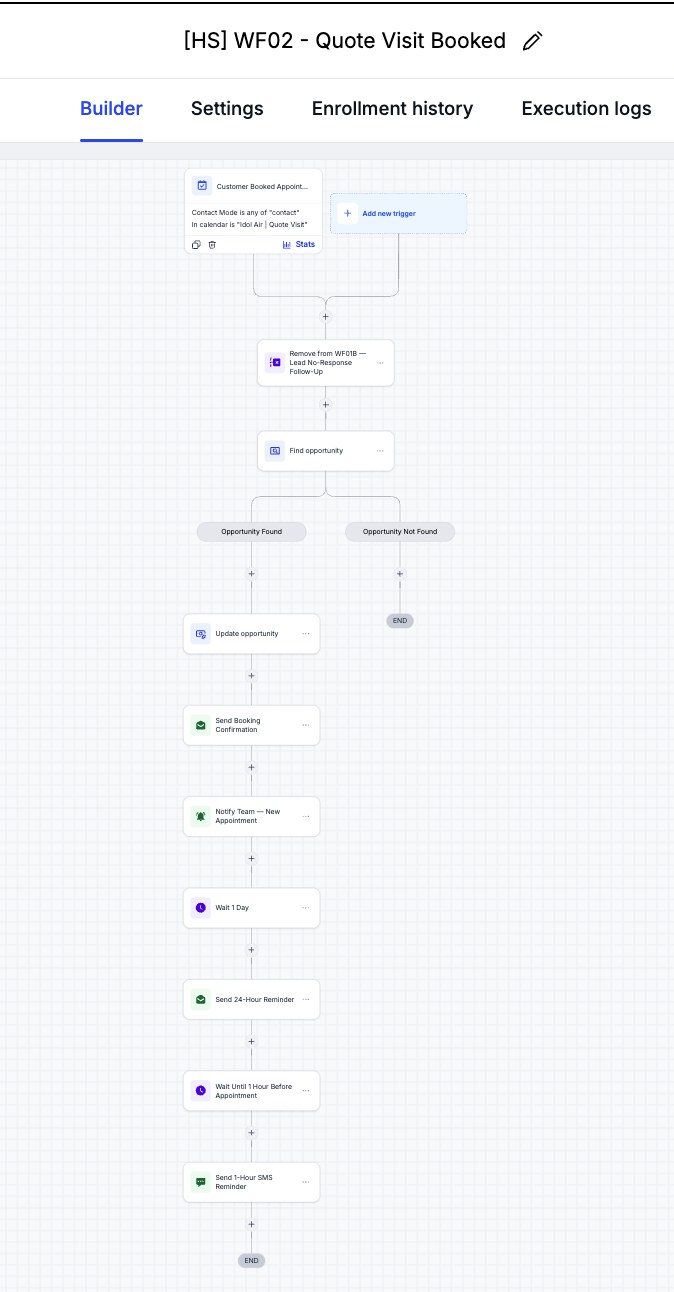 Click to view full size
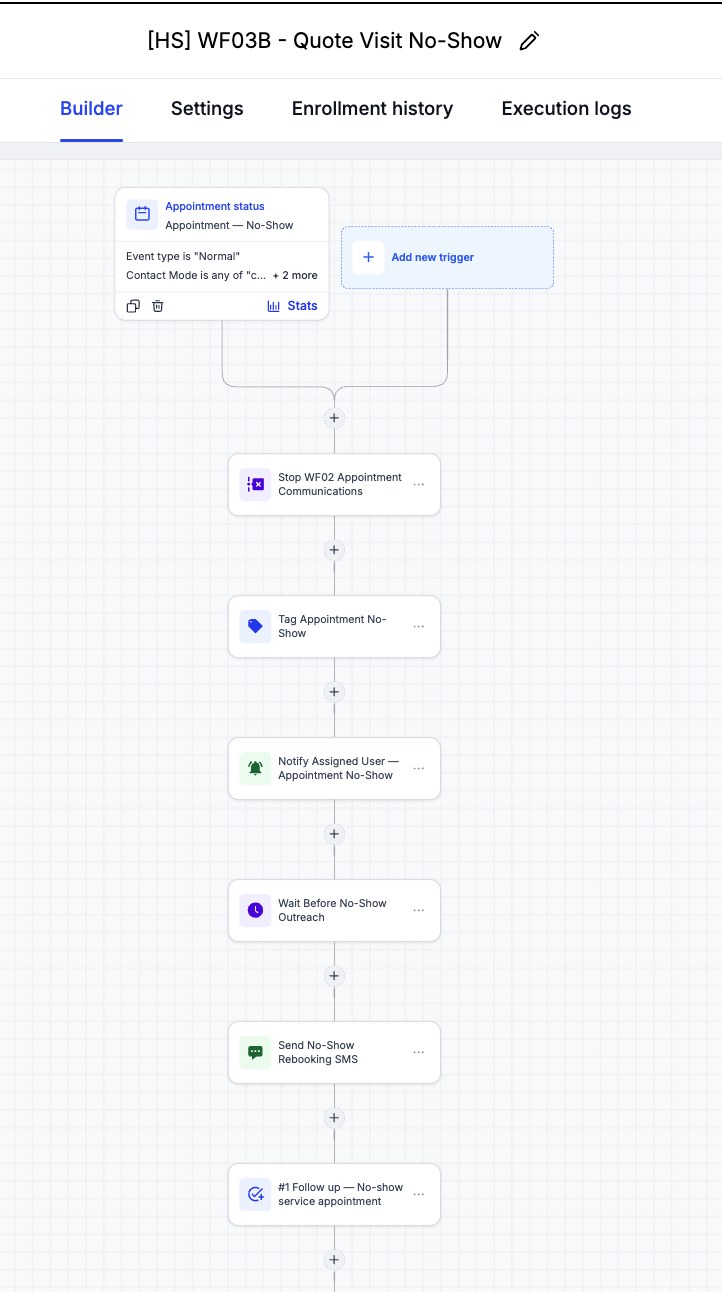 Click to view full size
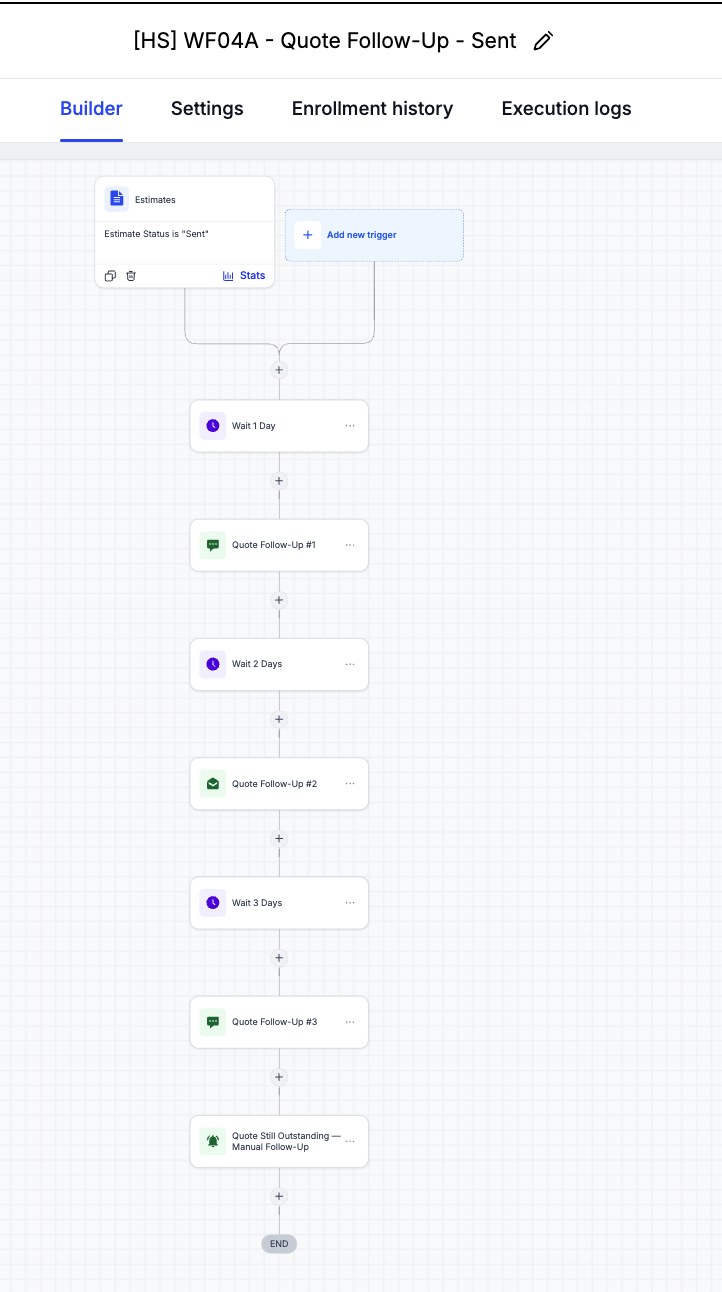 Click to view full size
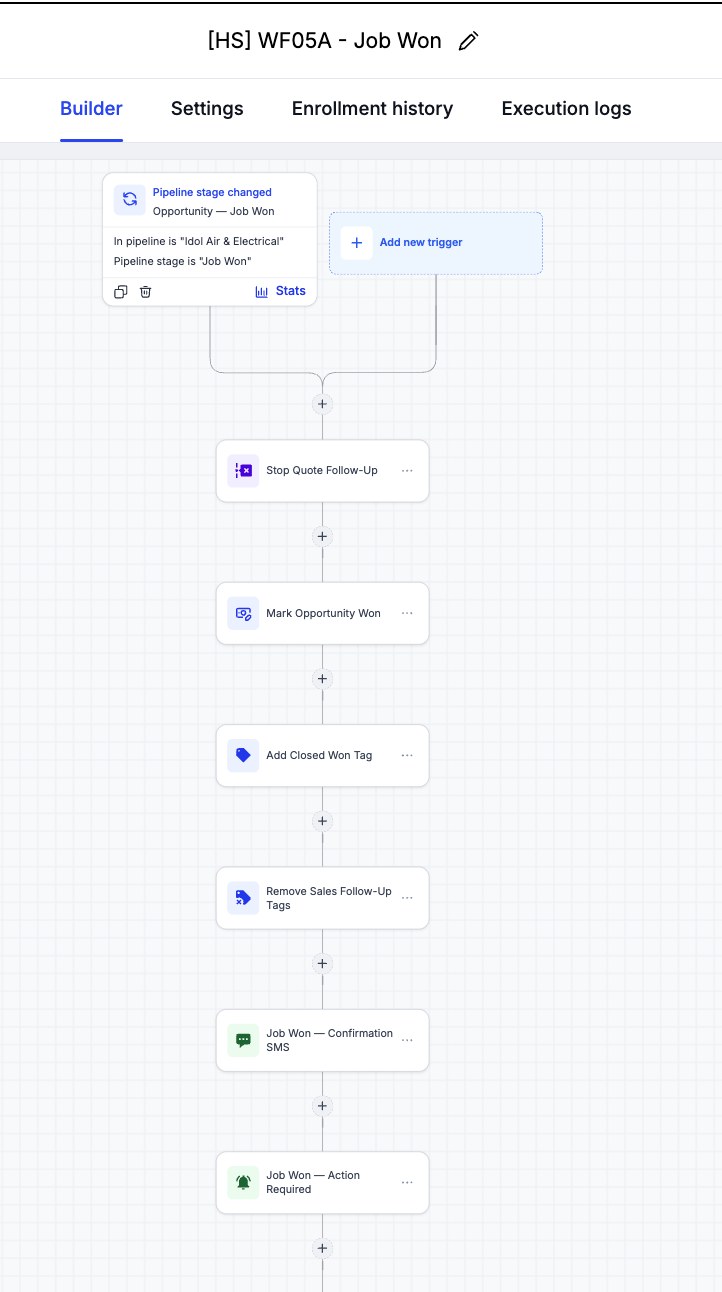 Click to view full size
 Click to view full size
 Click to view full size
 Click to view full size
 Click to view full size
 Click to view full size
 Click to view full size
 Click to view full size
A full regression pass (17 September 2026) covered the happy path plus three exception branches — Appointment Cancelled, Appointment No-Show, and Quote Declined — across five test contacts, in addition to the original scene-by-scene happy-path run on 16 September. All four scenarios passed. Regression testing also caught a live defect in WF02 (the opportunity wasn't advancing on booking); it was fixed and re-verified with a fresh contact. WF06 remains configuration-audited only — live telephony was not available in the simulated environment. After the upgrade (27 September), a second live test confirmed UTM capture, emergency routing, booking reminders reaching a real inbox, and the job-completed review and maintenance enrolments; it also caught and fixed a skipped staff alert. Text messages fire on schedule but are not delivered because no phone number is connected. The finished build was saved as a snapshot and test-imported into a blank sub-account on 6 October; an Owner View dashboard was added the same day and the snapshot refreshed to v3.
| Test Area | What We Verify | Result |
|---|---|---|
| Scenario 1 — Happy Path (Sophie Mitchell) | Free Quote Form → WF01A intake → Quote Visit booked → estimate accepted → Opportunity Won → Job Completed | PASS — full lead-to-job-completed path executed live, scene by scene |
| Scenario 2 — Appointment Cancelled (Lucas Parker / Amelia Grant) | WF03A stops WF02 reminders, tags the appointment Cancelled, alerts the assigned staff member, and sends a self-service reschedule-link acknowledgement | PASS — all WF03A actions executed as designed |
| Scenario 3 — Appointment No-Show (Ethan Collins) | WF03B tags the no-show, alerts staff, waits 10 minutes, sends a rebooking SMS, and creates a follow-up task | PASS — all WF03B actions executed |
| Scenario 4 — Quote Declined (Olivia Bennett) | WF04C stops quote follow-up and notifies staff on a Declined estimate | PASS — follow-up stopped and staff notified; the opportunity intentionally stays at Quote Completed by design (WF04C does not move the pipeline stage) |
| Defect found & fixed — WF02 booking-stage opportunity update | Whether the opportunity pipeline stage actually advances when a customer books a Quote Visit | Found: Update Opportunity was silently SKIPPED because WF02 had no opportunity in context. Fixed: added a Find Opportunity step (most recent open Opportunity in the Idol Air & Electrical pipeline) before the update. Re-verified with a fresh contact (Ethan Collins), whose opportunity auto-advanced to Quote Visit Booked. |
| Missed Call Text-Back (WF06) | Trigger filters, 1-minute wait, SMS text-back, and internal owner notification | PASS on configuration audit — live call/SMS delivery NOT EXECUTED: the simulated sub-account has no provisioned phone number |
| Upgrade live test — form, UTM, and emergency routing (27 Sep) | A Free Quote Form submission with Urgency = Emergency and UTM parameters in the link | PASS — UTM source, medium, and campaign saved on the contact; WF01A and WF07 both enrolled and the emergency branch ran. Bug found and fixed: WF01A's staff alert was skipped ('No user assigned'), now sent to all users |
| Upgrade live test — booking and reminders (27–29 Sep) | Booking moves the opportunity to Quote Visit Booked and the confirmation and 24-hour reminder reach a real inbox | PASS — stage moved, confirmation and 24-hour reminder emails delivered; the 1-hour reminder SMS fired on schedule but was not delivered (no phone number) |
| Upgrade live test — job completed, review filter, maintenance (27–29 Sep) | Moving the opportunity to Job Completed starts WF05B and WF08 | PASS — both enrolled; the thank-you and rating SMS fired. The 4–5 vs other rating split is NOT EXECUTED: it needs a real inbound text reply |
| Snapshot test-import (6 Oct) | The saved snapshot loads into a blank sub-account with every workflow, folder, and pipeline intact | PASS — all [HS] workflows (WF01A–WF08) imported with triggers still linked. Custom Values arrive empty, so filling them is step one of every client setup |
| Owner View dashboard + UTM (6 Oct) | The owner can see where leads come from (including UTM source), appointments booked versus showed, and won and lost jobs in one view | PASS — dashboard saved and shared with account admins; the 'Leads by UTM Source' chart shows the qa_test value captured by the 27 Sep form test, confirming UTM capture end to end |
Share your current quote-to-job process and I'll map where a GHL pipeline and workflows like these can take over the repetitive follow-up.