Problem
Financial records arrive in different places, so tracking takes time and the same transaction can be entered twice.
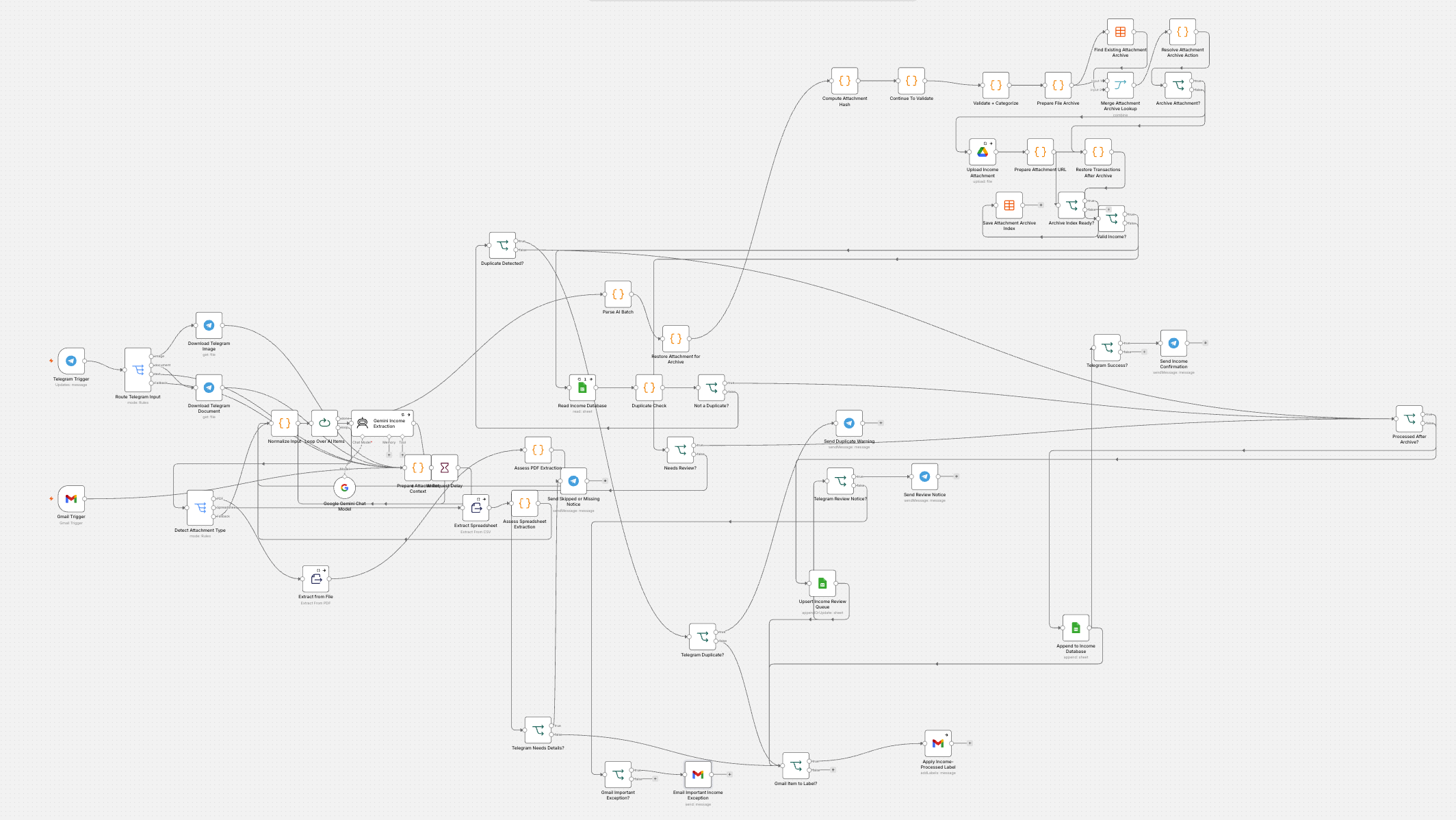
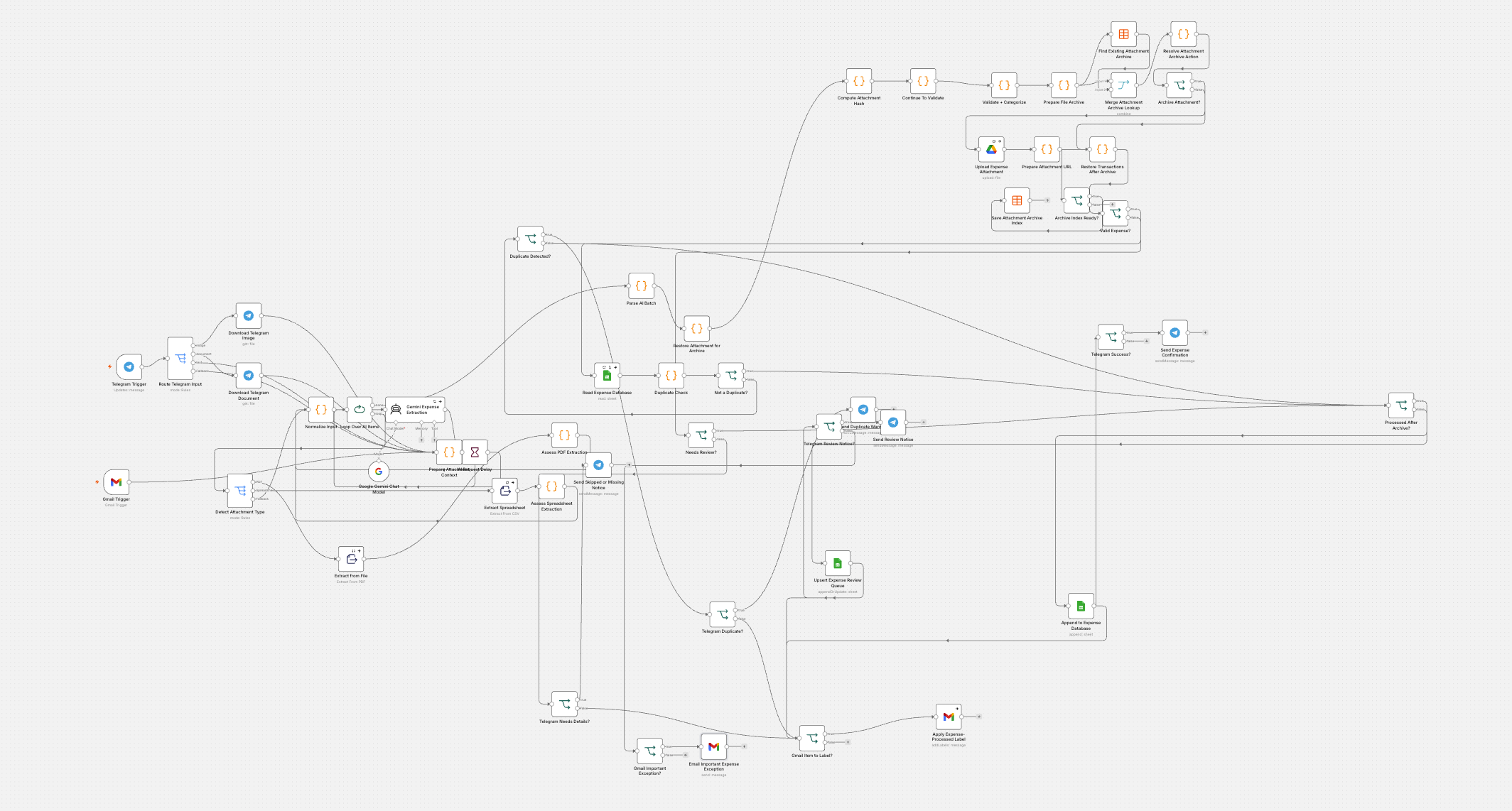
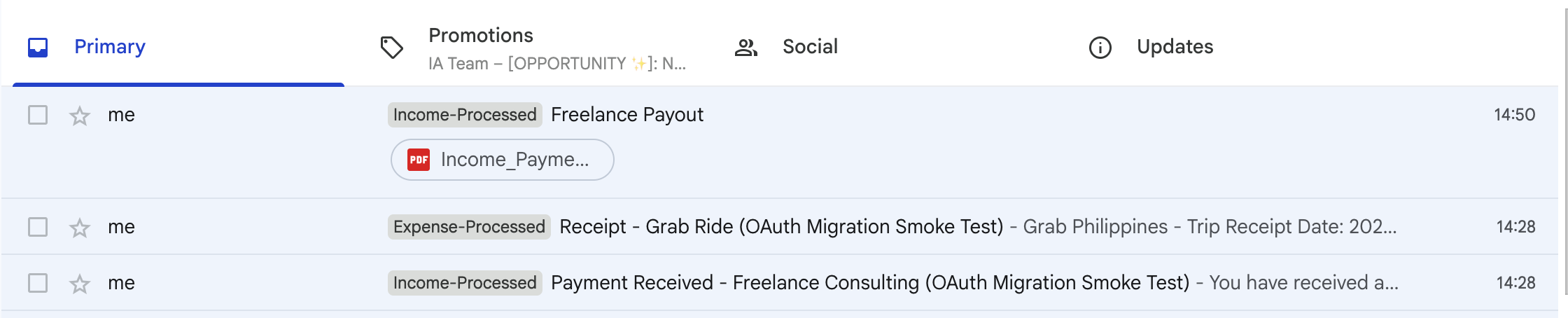
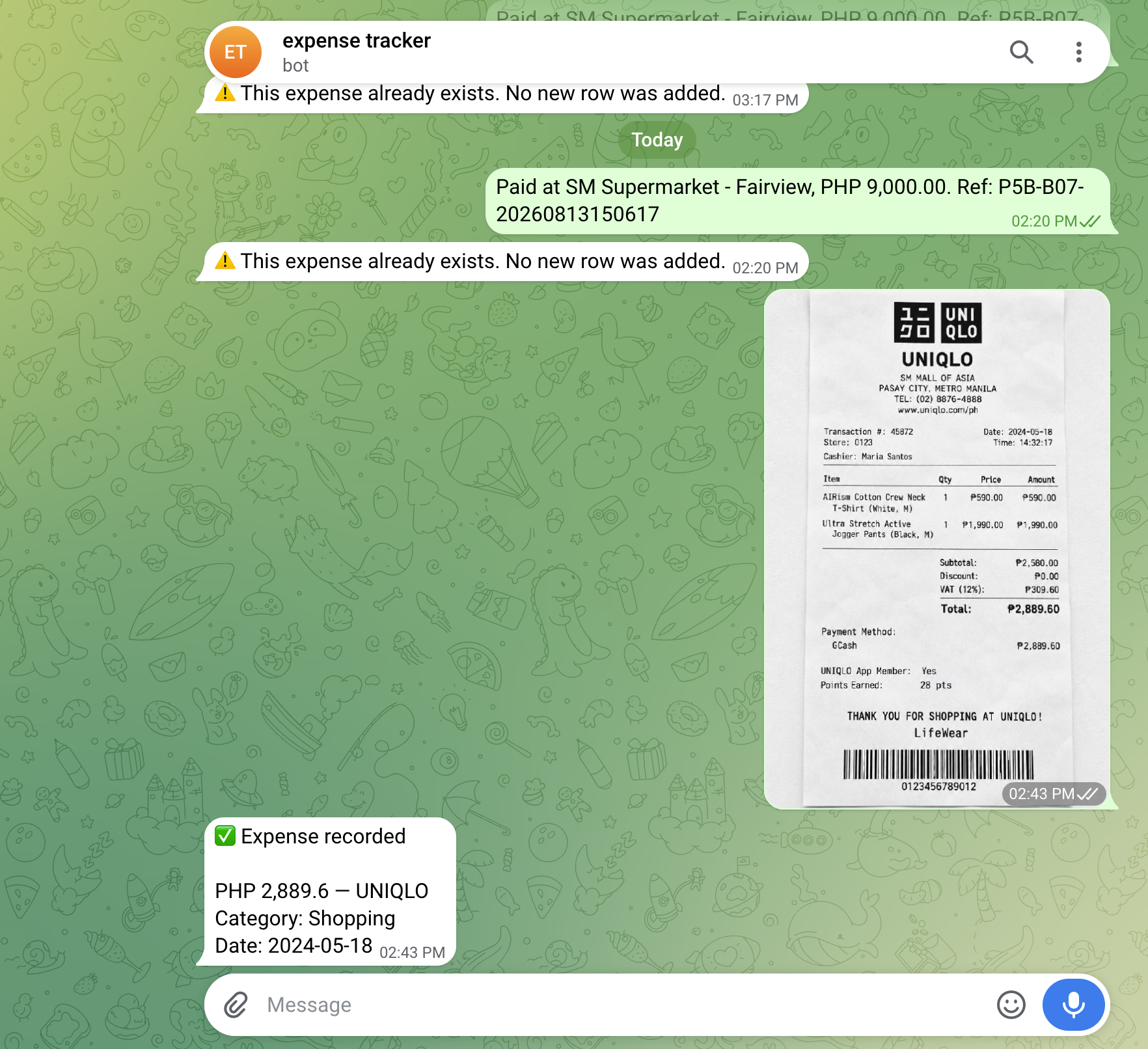
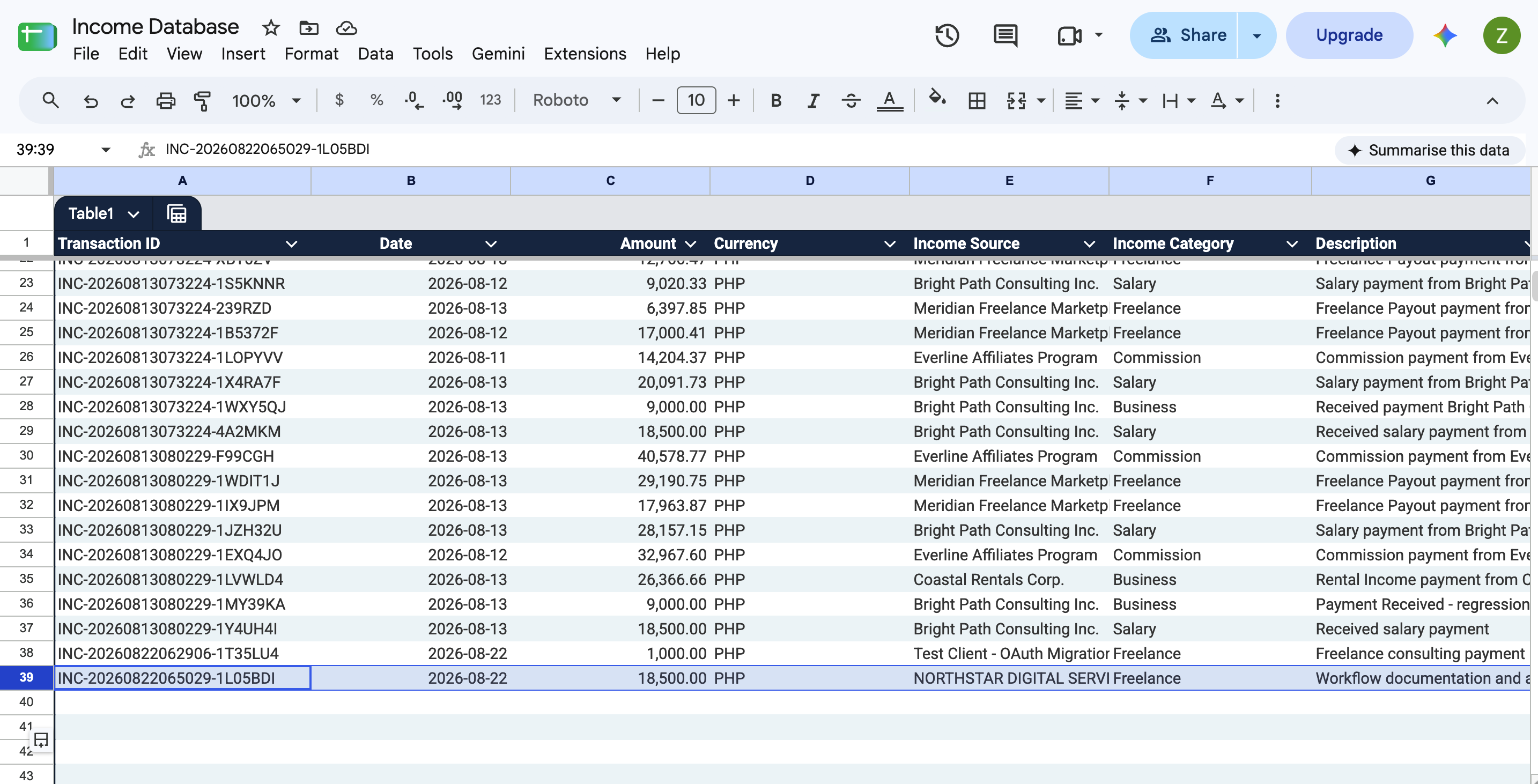
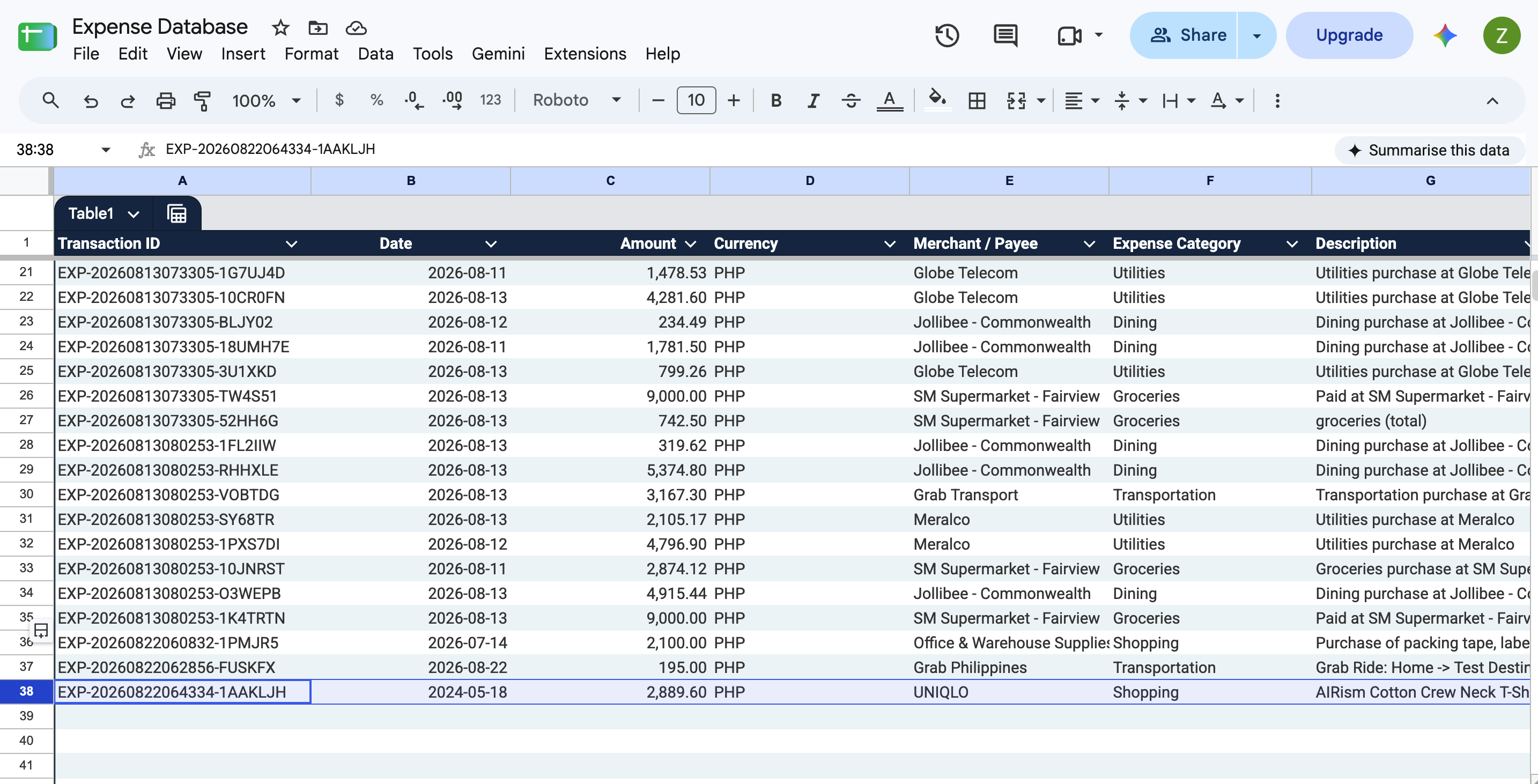
Captures receipts, income notices, and statements from Gmail or Telegram, validates each transaction, prevents duplicates, and records the result with its source file.
Problem
Financial records arrive in different places, so tracking takes time and the same transaction can be entered twice.
Solution
Two automated workflows capture each record, check the details, block duplicates, and file everything in the right place.
Result
Income and expenses stay organized, supporting files are easy to find, and review takes less manual effort.
Start with the three system branches, then open the parts you want to inspect.
A balanced view of both workflows, their intake channels, and the organized records they produce.
 Click to view full size
 Click to view full size
 Click to view full size
 Click to view full size
 Click to view full size
 Click to view full size
63 conclusive test executions passed across 3 independent regression rounds in August 2026, covering both workflows and both Gmail and Telegram intake paths.
| Test Area | What We Verify | Result |
|---|---|---|
| Income Intake | Supported income input types (text, PNG, PDF, CSV; single & multi-transaction) across Gmail and Telegram | PASS — 32 verified |
| Expense Intake | Supported expense input types (text, PNG, PDF, CSV; single & multi-transaction) across Gmail and Telegram | PASS — 31 verified |
| AI Extraction & Validation | Required transaction fields extracted correctly; missing or ambiguous input routed to review instead of guessed | PASS — verified across 3 rounds |
| Duplicate Prevention | Repeated transactions and repeated attachments (byte-identical file, and reference-number match) do not create duplicate records | PASS — both duplicate checks verified |
| Transaction Rules & Categorization | Income vs. expense rules (refund, transfer, reversal, pending, credit-card payment) and category assignment behave as designed | PASS — verified across 3 rounds |
| Output, Archive & Confirmation | Correct Google Sheets record, source-file archive to Drive, and confirmation complete for both workflows | PASS — both workflows verified |
Share the process, tools, and outcome you need. I’ll map the clearest practical next step—automation, process cleanup, or a better workflow.